🖥️ PC App Enscape 3D 3.4.3.93121 (PC)

PHC-BabygenXD

Forum Guru
IMG_20230130_154007_949.webp
🖥 Enscape 3D 3.4.3.93121 (PC)

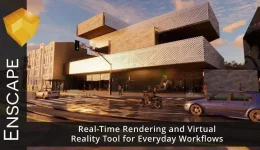
Enscape3D usually runs alongside Revit or SketchUp, mirroring all changes in your construction through real-time rendering. Additionally, you can export the Enscape walkthrough as a stand-alone executable file to distribute to your clients or colleagues. They can explore your work and even change the time of day.


➲ Rendering quality of reflections has been improved (sharper during movement)
➲ Integrated Minimap in the Virtual Reality menu
➲ Smoother shadow transitions during time-lapse videos
➲ Export uncompressed video for post-production
➲ New materials in Revit and Revit 2019 now supported
➲ Proxies in SketchUp now reload automatically
➲ TGA textures are now supported in SketchUp’s material editor
➲ Area lights are now available in SketchUp (Line, Rectangular, Disc)
➲ Improved grass rendering
➲ Transparent Textures now supported in Rhino

Password: @Pc_1ly

📥 Download Link :
You do not have permission to view the full content of this post. Log in or register now.
Support and Feedback lang po , thanks.
 
not working na po
Kulang lang ng instructions


1.- Before you install it, add these lines to the host file:

127.0.0.1 api2.enscape3d.com
127.0.0.1 my.enscape3d.com

(It is not necessary, but it is recommended.)


2.- Install Enscape.


3.- Copy ρá†ch into Enscape folder & Run it.
C:\Users\YOU_USER\AppData\Local\Programs\Enscape
 
Kulang lang ng instructions


1.- Before you install it, add these lines to the host file:

127.0.0.1 api2.enscape3d.com
127.0.0.1 my.enscape3d.com

(It is not necessary, but it is recommended.)


2.- Install Enscape.


3.- Copy ρá†ch into Enscape folder & Run it.
C:\Users\YOU_USER\AppData\Local\Programs\Enscape
salamat dito lods -

chirogan


salamat sa upload lods -

BabygenXD

 
not working po asset library :(

working library just delete this in the host
127.0.0.1 api2.enscape3d.com
127.0.0.1 my.enscape3d.com
 
Kulang lang ng instructions


1.- Before you install it, add these lines to the host file:

127.0.0.1 api2.enscape3d.com
127.0.0.1 my.enscape3d.com

(It is not necessary, but it is recommended.)


2.- Install Enscape.


3.- Copy ρá†ch into Enscape folder & Run it.
C:\Users\YOU_USER\AppData\Local\Programs\Enscape
san makikita yung host file boss?
 

Similar threads

About this Thread

  • 19
    Replies
  • 2K
    Views
  • 16
    Participants
Last reply from:
Mal haki-hangti Teeh

Online now

Members online
935
Guests online
1,724
Total visitors
2,659

Forum statistics

Threads
2,289,984
Posts
29,061,792
Members
1,213,085
Latest member
Kehra
Back
Top