PH
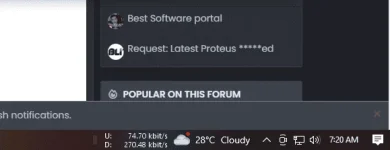
PHshare ko lang sa may gusto ng app na to for pc
para makita mo yung download at upload speed
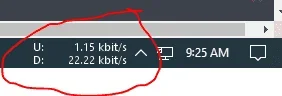
instructions:
1. download the file
2. extract it and choose 32 or 64 then open
3. if an error occur. dont worry just close it
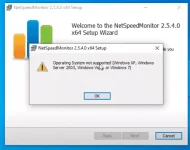
4. go to the file .msi that you downloaded then rightclick
5. click properties
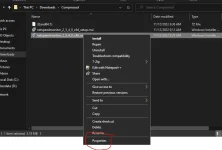
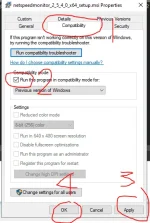
6. then click compatibility. follow the image below
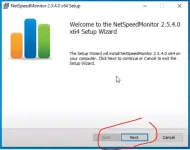
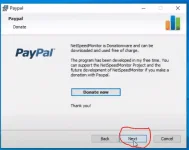
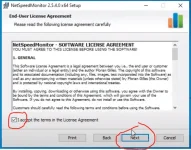
7. open the file. then click next -> next-> next -> next -> install -> finish
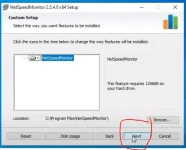
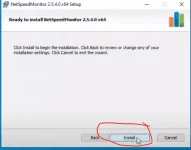
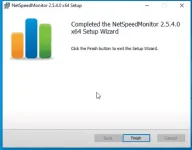
8. click This PC -> local disk C: -> program files ->neetspeedmonitor
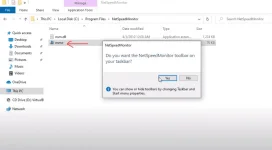
9. click yes
10. uncheck traffic logging (optional)
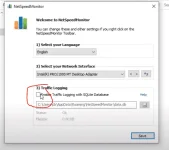
11. save
12. close
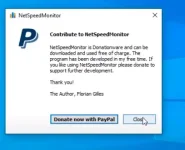
13. done. you will be able to see the upload and download speed
(step 14 is optional)
14. if you want to change configuration settings layout like font mbitrate...etc
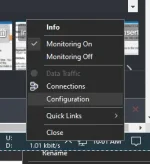
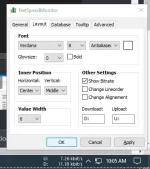
15. apply and ok
LINK:
You do not have permission to view the full content of this post. Log in or register now.
para makita mo yung download at upload speed
instructions:
1. download the file
2. extract it and choose 32 or 64 then open
3. if an error occur. dont worry just close it
4. go to the file .msi that you downloaded then rightclick
5. click properties
6. then click compatibility. follow the image below
7. open the file. then click next -> next-> next -> next -> install -> finish
8. click This PC -> local disk C: -> program files ->neetspeedmonitor
9. click yes
10. uncheck traffic logging (optional)
11. save
12. close
13. done. you will be able to see the upload and download speed
(step 14 is optional)
14. if you want to change configuration settings layout like font mbitrate...etc
15. apply and ok
LINK:
You do not have permission to view the full content of this post. Log in or register now.