PH
PHParagon Linux File Systems for Windows v5.2.1183
Linux File Systems for Windows by Paragon Software is a unique tool which gives you full access to Linux volumes within Windows. Just plug your hard disk with ExtFS/Btrfs/XFS partitions into your PC and instantly work with any media on the Linux partitions.
Features
Stable Operation
Fail-safe operability across compatible hardware and software systems for both general-purpose and specialized applications.
Data Safety
Protection of data integrity and prevention of accidental data corruption and possible loss.
Guaranteed Performance
Steady throughput and balanced goodput with effective flow control, reduced overheads, and congestion avoidance.
Efficient Use
Thrifty usage of processor, memory, and disk resources.
Write Access
When ExtFS volume is mounted in write mode, you can do everything with files and folders it contains: read, edit, delete, rename, create new.
Automount
Mounts supported volumes automatically at startup, so you don’t need to bother about it each time you restart the operating system or power your computer on. However, this feature can be disabled at any moment in the program interface.
Volume Administration
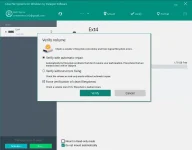
Formats, checks integrity, and repairs corrupted ExtFS volumes with minimal effort.
Internationalization
Supports all character sets supported by your operating systems, including those that use non-Roman characters, so you will never face a problem of not getting access to file names on volumes mounted in non-native OS.
Read/write support for LVM (Logical Volume Management)
With Linux File Systems for Windows by Paragon Software, your Linux’s logical volume manager won’t lose any of its functions: it will be able to perform open, close, read and write operations and, in general, operate in a usual way.
Command Line Interface
Get full control over Linux File Systems for Windows by Paragon Software via a command line.
Compatibility with 3rd party software
Since product provides access to Linux volumes globally to the entire operating system, you can use any desktop and encryption applications, including TrueCrypt and its forks* (encrypted file container mode only).
Instructions
1. Install the program from the given setup.
2. Don't run the application yet and close from system tray or task manager if running.
3. Extract the "Cr@ck Fix.zip" to directory where you've installed the program. Replace all the files.
4. Boom! Now you can use the program without any interruptions.
5. That's it, Enjoy now
NOTE: message nyo na lang kapag dead link na
LINK
You do not have permission to view the full content of this post. Log in or register now.
Linux File Systems for Windows by Paragon Software is a unique tool which gives you full access to Linux volumes within Windows. Just plug your hard disk with ExtFS/Btrfs/XFS partitions into your PC and instantly work with any media on the Linux partitions.
Features
Stable Operation
Fail-safe operability across compatible hardware and software systems for both general-purpose and specialized applications.
Data Safety
Protection of data integrity and prevention of accidental data corruption and possible loss.
Guaranteed Performance
Steady throughput and balanced goodput with effective flow control, reduced overheads, and congestion avoidance.
Efficient Use
Thrifty usage of processor, memory, and disk resources.
Write Access
When ExtFS volume is mounted in write mode, you can do everything with files and folders it contains: read, edit, delete, rename, create new.
Automount
Mounts supported volumes automatically at startup, so you don’t need to bother about it each time you restart the operating system or power your computer on. However, this feature can be disabled at any moment in the program interface.
Volume Administration
Formats, checks integrity, and repairs corrupted ExtFS volumes with minimal effort.
Internationalization
Supports all character sets supported by your operating systems, including those that use non-Roman characters, so you will never face a problem of not getting access to file names on volumes mounted in non-native OS.
Read/write support for LVM (Logical Volume Management)
With Linux File Systems for Windows by Paragon Software, your Linux’s logical volume manager won’t lose any of its functions: it will be able to perform open, close, read and write operations and, in general, operate in a usual way.
Command Line Interface
Get full control over Linux File Systems for Windows by Paragon Software via a command line.
Compatibility with 3rd party software
Since product provides access to Linux volumes globally to the entire operating system, you can use any desktop and encryption applications, including TrueCrypt and its forks* (encrypted file container mode only).
Instructions
1. Install the program from the given setup.
2. Don't run the application yet and close from system tray or task manager if running.
3. Extract the "Cr@ck Fix.zip" to directory where you've installed the program. Replace all the files.
4. Boom! Now you can use the program without any interruptions.
5. That's it, Enjoy now
NOTE: message nyo na lang kapag dead link na
LINK
You do not have permission to view the full content of this post. Log in or register now.