 PH
PHWinISO v7.0.3.8308
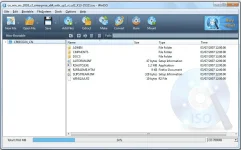
WinISO a fast and convenient ISO image file editorWinISO was originally designed back in 2000, and now it has been upgraded to be compatible with Windows 11, although the era of optical discs has faded away.
Features
High Efficiency
When updating a file in a large disc image file, WinISO overwrites only the updated parts, while leaving other data untouched. Without rebuilding the entire image, the file saving is fast.
Multiple Built-in Features
• Convert between disc image formats including ISO, CUE/BIN, NRG, MDF/MDS, CCD and IMG.
• Mount on the fly. Edited images can be mounted directly without saving in advance.
• Burn edited images without saving the changes, which is convenient for one-time tasks.
Instructions
1. Install the program from the given setup.
2. Don't run the application yet and close from system tray or task manager if running.
3. Extract the "Cr@ck Fix.zip" to directory where you've installed the program. Replace all the files.
4. Boom! Now you can use the program without any interruptions.
5. That's it, Enjoy now
NOTE: message nyo lang ako kapag dead link na
LINK
You do not have permission to view the full content of this post. Log in or register now.
WinISO a fast and convenient ISO image file editorWinISO was originally designed back in 2000, and now it has been upgraded to be compatible with Windows 11, although the era of optical discs has faded away.
Features
High Efficiency
When updating a file in a large disc image file, WinISO overwrites only the updated parts, while leaving other data untouched. Without rebuilding the entire image, the file saving is fast.
Multiple Built-in Features
• Convert between disc image formats including ISO, CUE/BIN, NRG, MDF/MDS, CCD and IMG.
• Mount on the fly. Edited images can be mounted directly without saving in advance.
• Burn edited images without saving the changes, which is convenient for one-time tasks.
Instructions
1. Install the program from the given setup.
2. Don't run the application yet and close from system tray or task manager if running.
3. Extract the "Cr@ck Fix.zip" to directory where you've installed the program. Replace all the files.
4. Boom! Now you can use the program without any interruptions.
5. That's it, Enjoy now
NOTE: message nyo lang ako kapag dead link na
LINK
You do not have permission to view the full content of this post. Log in or register now.