 PH
PHCCleaner Overview
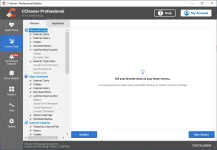
CCleaner a utility for cleaning the debris in the operating system. In the course of their work CCleaner (Crap Cleaner) is looking for and removes unused files. These include: cookies, history, visiting sites in IE, temporary Internet files, search strings, files, Recycle Bin, etc.CCleaner is the number-one tool for cleaning your Windows PC. It protects your privacy online and makes your computer faster and more secure. This app is easy to use, one click cleaning so beginners can optimize their computers in seconds. In addition, it’s packed with advanced features for power users.
It is system optimization and privacy tool. Removes unused files from your system, allowing Windows to run faster and freeing up valuable hard disk space. It also cleans traces of your online activities such as your Internet history.
CCleaner can run from a USB drive and be installed or run on a computer without a complicated setup process. It is possible to specify files, folders and registry keys to ignore from the cleaning process.
Especially relevant that it’s fast. Normally taking less than a second to run. And contains NO Spyware or Adware!
Key Features of CCleaner
- Automatic Cleaning
- Regularly cleans junk files to keep your computer running smoothly
- Automatic Privacy Protection
- Clears history and cookies when you’re not using your web browser
- Automatic Updates
- Windows and browsers constantly evolve. CCleaner updates once a month to stay on top!
How to use ρá†ch of CCleaner?
Follow the below instructions to activate your version of CCleaner.- Run installer from “Setup” folder and complete the installation and don’t launch the app yet
- Extract “ρá†ch.zip” and copy ρá†ch to program’s installation, right click and click “Run as administrator”
- Click on “ρá†ch” button and select the main executable file (if asked)
- Right click on BlockHosts.cmd file and click “Run as administrator”
- That’s it, Enjoy!
You do not have permission to view the full content of this post. Log in or register now.