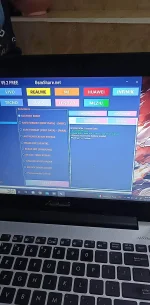
PH
PHrocktheworld007
Fanatic
Take Note Disable nyo mona AV para mag Run and Tool Tried and Tested kona yan
1. Download MTK Client Tool You do not have permission to view the full content of this post. Log in or register now.
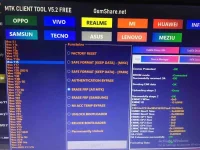
2. Download or Install kayo if wala pa naka install sa PC/Laptop nyo Usb Driver and MTK Driver nasa mismong Tool yan makikita nyo right side.
3. Select VIVO
4. Select VIVO Y15
5. Choose ERASE FRP (ALL MTK)
6. Click START
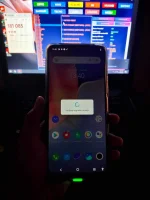
7. Wait nyo mag success at 100% Tapos Unplugged na at ON nyo na ang Unit
Sana makatulong po sainyo
1. Download MTK Client Tool You do not have permission to view the full content of this post. Log in or register now.
2. Download or Install kayo if wala pa naka install sa PC/Laptop nyo Usb Driver and MTK Driver nasa mismong Tool yan makikita nyo right side.
3. Select VIVO
4. Select VIVO Y15
5. Choose ERASE FRP (ALL MTK)
6. Click START
7. Wait nyo mag success at 100% Tapos Unplugged na at ON nyo na ang Unit
Sana makatulong po sainyo