 PH
PHJonathan Lomabao
Journeyman
isolate bad sectors and create healthy partitions to fix the bad sector problem of HDD
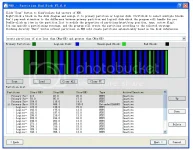
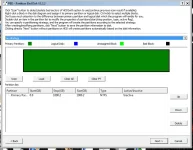
Tried and tested on my laptop's HDD and external drive. 5MB lang po siya (full version) and very powerful partition tool para i-isolate yung mga bad sectors ng drive. Useful po sya sa pagformat ng mga sirang disk drives na may mga bad sectors.
PBD(Partition Bad Disk) can fix the bad sector problem by detecting/isolating bad sectors, partitioning the disk to exclude bad sectors from any created partition, or hide bad clusters in the file system. PBD does these in a high-efficient and error-robust way to ensure the computer never hangs. You can adjust the properties of partitions such as the size, the start/stop postions at will, just like an ordinary partition software.
Features: Robust and high efficient disk scan algorithm. You won't wait for a whole night just to see little progress in scanning the disk. You can stop the scan at anytime and continue it later. PBD will save the scan results automatically so that you need not scan the disk again when you want to adjust the partitions next time. Almost no limitation about the number of created partitions/logical disks. Visualized disk diagram makes it easy to use. Just click the blocks in the diagram and assigned them to partitions.You can adjust the size of, the start/stop positions of, the type of partitions and split/combine partitions at will. Provided advanced partitioning strategies. Choose a strategy, and PBD does the rest.
Aimed at bad disks.
Robust and high efficient disk scan algorithm.
PBD will save the scan results automatically for future use.
Almost no limitation about the number of created partitions/logical disks.
Visualized disk diagram makes it easy to use. Just click the blocks in the diagram and assigned them to partitions.
Provided advanced partitioning strategies.
This software is for people to revive their bad disks. PBD does not require people to have much knowledge about the concepts of partition. It is very easy to use.
About bad sector:
Bad sectors(or bad blocks, bad clusters) are the areas on the disk that can not be read or written. Bad sectors are classified into two categories: logical bad sector and phyical bad sector. Logical bad sector can be repaired by software while phyical bad sector is hard to fix. Bad sectors should be blocked out, otherwise you will meet problem reading or writing files, and if bad sectors are often read and written, they may propagate to originally healthy part of disk. Use Partition Bad Disk to isolate/hide bad sectors so that they can not be used to store files.
Tips:
+PBD can not partition the HDD that current OS is installed on. You should attached the target HDD to the computer as a secondary/slave disk.
+The transfer mode of HDD may be downgraded by Windows automatically (like from DMA 5 to PIO) if bad sectors are detected, resulting in a very low scanning speed. You can go to Device Manager/ATA/ATAPI controllers, uninstall the controller that connects the HDD(such as ATA channel 0 or Secondary IDE Channel), or double-click the controller and go to Advanced Settings to change the Transfer Mode back to the original one, and restart the computer. This will dramatically increase the scanning speed.
Important Note Guys:
1. Make sure your bad HDD is already formatted, or back up first if there's important file on it, and do a quick format once you have done
2. Its better to scan it using SATA CABLE, connect it directly if you want to scan it fast (dramatically), but it depends on you, but if you want to scan your external hard disk, try disassembling it first with care and get the hard drive on it
3. Remember to scan the drive first before you proceed to the next button, once the disk scanning completed, you will see the diagram of the status of your hard disk drive, just pick some any of the strategies and PBP will manage the partition for you
4. This application does not fix bad sector, it will only isolate/slipping/hiding bad sectors and create a healthy partition
5. I do not assure you to fix your HDD with this app if your HDD has a greater amount of bad blocks (BLACK) and have a minimum amount of healthy sectors (GREEN), this can only fix HDD as i later mentioned in an opposite way, you can see the results after you're done scanning it, but some HDD stucked in scanning, the possibilities of this occurrence is the bad sector of the HDD is not readable anymore, but don't lose hope, try first to put your HDD using SATA CABLE as i mentioned on number two, but if there's nothing happened, i am really feel sorry for that, in other words, this software can fix limited HDD's and may vary depends on the situation of HDD's , so use this at your own risk!
6. This cannot fixed dead HDD's
Installation Instructions:
1. Extract "PBD -3.3.2shadowghost"
2. Install "pbd-setup"
3. Copy "Partition Bad Disk v3.3.2_Patch" at the Root folder
4. Run The "Partition Bad Disk v3.3.2_Patch", and click the ρá†ch button,
5. Run PBD as administrator
DOWNLOAD>> Download