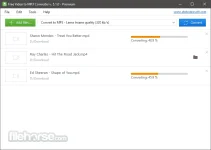
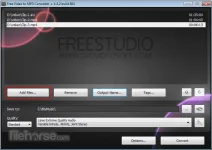
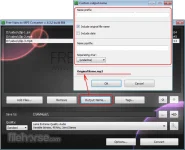
PH
PH- Requirements:
Windows XP / Vista / Windows 7 / Windows 8 / Windows 10
Input video file formats:*.avi; *.ivf; *.div; *.divx; *.mpg; *.mpeg; *.mpe; *.mp4; *.m4v; *.webm; *.wmv; *.asf; *.mov; *.qt; *.mts; *.m2t; *.m2ts; *.mod; *.tod; *.vro; *.dat; *.3gp2; *.3gpp; *.3gp; *.3g2; *.dvr-ms; *.flv; *.f4v; *.amv; *.rm; *.rmm; *.rv; *.rmvb; *.ogv; *.mkv; *.ts.
The software automatically fills the title tag and the artwork, taking a snapshot from the middle of the video, which can be seen in iTunes, Winamp, or just a Windows Explorer folder.
How to use Free Video to MP3 Converter
Step 1. Download and Install the Converter
Step 2. Launch Free Multimedia to Audio Converter program
Step 3. Select Input Video Files
Step 4. Select Output Location
Step 5. Set Tags
Step 6. Select Presets
Step 7. Extract Audio from VideotoMP3
Download link:You do not have permission to view the full content of this post. Log in or register now.