 PH
PHDARKCLOUDS
Elite

PHOENIX LITEOS 11 NEON GAMER Build 22000.469
▬
DESIGNED TO BREATHE NEW LIFE INTO YOUR PC
- EXTREME Gaming Performance! Fast, Smooth, Light, and Tweaked to give you extreme performance for your gaming needs! FULL SUPPORT for UWP Apps and Xbox Game Pass!
- Use Less Resources! Low Idle RAM, Low CPU Processes, Fast Installation, Extreme Performance for Productivity and Gaming, Lightning fast Boot and Load times.
- Removed features include: Cortana, Edge, BitLocker, WSL, Hyper-V, One Drive, Defender, Windows Mail, Backup and Restore, Maps, Mixed Reality, Optional Features.
- Disabled Features include: Error Reporting, Cumulative Updates, UAC, Ads, Telemetry, Paging File, Hibernation, Power Throttling, Automatic Maintenance and Download Blocking
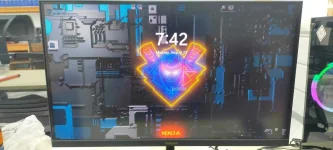
- Additions include: Enhanced Desktop Beauty with Transparent Task bar and Additional Themes, Enhanced Context Menu, Basic Game Suite, and Basic Tools in Start Menu to Give you control of your Windows Desktop.
- We want YOU to have control So we don't Pre Install software, or Web Browsers, because we know everyone's needs, and preferences are different. Web browser installation files and some other goodies can be found in the 'Extras' Folder on the Desktop.
▬
SYSTEM BASIC REQUIREMENTSRAM Requirements: 2 GB RAM - 7 GB Storage
DirectPlay and .NET Framework 3.5 Pre-Installed,
Highly recommend writing to USB with Rufus, For Clean Install Only.
We highly recommend you download and install DX9 and VC++ Runtimes
And! don't forget to turn on Services through Start Menu - Tools if needed! (Print Spooler ON if installing printer driver and printing needs | Windows Update SVC ON if you need to use MS Store, Add Languages, Auto download Drivers, Xbox Game Pass etc.)
If you plan on Installing and Using the Xbox App, make sure you go into the App Settings, and also install 'Xbox Identity Provider', and 'Xbox Gaming Services' as well. And enable UAC using my 'Sign In Fix' (located on the desktop)
If you install a language pack, and it gives you an error, your PC will restart a few times, then return to normal. To fix the error, just remove the added language from the language list in the Settings App, Then re-install it, and it will work normally, and you will be able to use it as your System Language.
We recommend you enable a paging file, (Virtual Memory), if you have a low amount of physical RAM installed in your PC. Read our tutorial on how to enable it in our 'GUIDES' section. It'll save your apps from crashing / closing unexpectedly if you run short on physical RAM.
Please test in a VM first! Our Pro Gamer Builds are designed to be as small, compact, and efficient as possible, but not designed to do everything. Please test first, to see if they have all the features You Need in your Windows OS.
▬
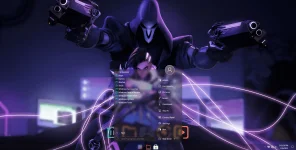
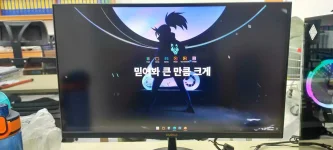
SCREENSHOT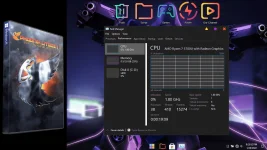

▬
SAMPLE VIDEOS
View attachment Phoenix LiteOS 11 Neon Gamer.mp4▬
DOWNLOAD HERE
You do not have permission to view the full content of this post. Log in or register now.
You do not have permission to view the full content of this post. Log in or register now.
Password for zip file: phoenix
Thank you everyone for your Support and Feedback!
Credit to the You do not have permission to view the full content of this post. Log in or register now. Angas nyo po mga master
You do not have permission to view the full content of this post. Log in or register now.
You do not have permission to view the full content of this post. Log in or register now.
Password for zip file: phoenix
Thank you everyone for your Support and Feedback!
Credit to the You do not have permission to view the full content of this post. Log in or register now. Angas nyo po mga master
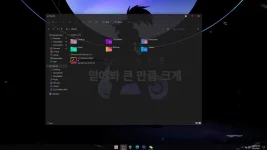
 kasama naba master dyan yung mga wallpaper