 PH
PremiumCourses
Honorary Poster
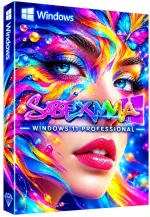
Free Download Windows 11 Pro Super Lite 24H2 Build 26100.3624 SysExeModOS Edition | Windows x64 | No TPM | Languages: English | File Size: 2.16 GB
Windows 11 Pro Super Lite SysExeModOS Edition is a heavily customized version of Windows 11 Pro 24H2, designed for advanced users who want a lightweight operating system with extensive performance and resource-saving modifications. It removes a large collection of built-in applications, optional Windows components, background services, and features to create a significantly reduced installation.
This edition focuses on system responsiveness and reduced resource consumption through customized services, power settings, and operating system tweaks. It also bypasses the standard TPM, RAM, CPU, storage, and Microsoft account installation checks, making installation possible on a wider range of hardware configurations.
The build includes several desktop utilities and retains .NET Framework components. However, it removes Windows Defender, Microsoft Store, Windows Recovery Environment, WinPE, and numerous other system features. It is therefore best suited to users who understand the limitations of modified Windows installations and can manage their own security and recovery solutions.
Software Overview
Windows 11 Pro Super Lite SysExeModOS Edition is built around a stripped-down Windows 11 Pro 24H2 environment. Its customization removes many standard Windows applications and services, including Microsoft Edge, OneDrive, Xbox applications, Copilot, Windows Search, Windows Store, and various enterprise, networking, accessibility, and multimedia components.
The installation process is designed to require minimal interaction. Hardware compatibility checks for TPM, RAM, processor, and storage have been bypassed, and the Microsoft account requirement has also been removed. The High Performance power plan is configured by default, while Windows Image Viewer is assigned as the default image viewer.
Additional modifications disable several background and user-facing functions, including Automatic Maintenance, Error Reporting, User Account Control (UAC), notifications, advertising, hibernation, Power Throttling, Widgets, and Game Mode. These changes are intended to reduce background activity, but they also alter the standard Windows experience.
This release requires a clean installation and a system restart after setup. Users should prepare their drivers, security software, installation media, and important data backups before proceeding.
Key Features
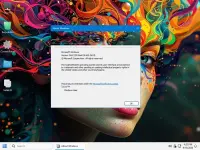
- Windows 11 Pro 24H2 Base: Based on Windows 11 Pro Build 26100.3624 in a customized 64-bit configuration.
- No TPM Requirement: Bypasses the standard TPM hardware check during installation.
- Hardware Check Bypass: Removes the standard RAM, CPU, and storage compatibility checks.
- Microsoft Account Bypass: Allows installation without the standard Microsoft account requirement.
- Extreme Performance Tweaks: Applies system modifications intended to improve responsiveness and reduce resource consumption.
- High Performance Power Plan: Configures the High Performance power plan by default.
- Reduced Windows Components: Removes numerous built-in applications, optional features, background services, and legacy components.
- .NET Framework Support: Retains the .NET Framework components included in the source configuration.
- Default Image Viewer: Sets Windows Image Viewer as the default application for viewing images.
- Simplified Installation: Requires no additional interaction during the installation process.
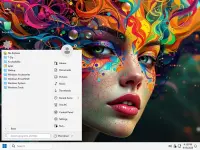
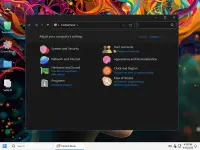
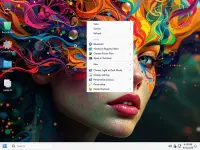
- Customized Desktop Appearance: Includes StartIsBack AIO and an optional registry file for applying the supplied Start menu configuration.
- Additional Utilities: Includes 7-Zip, OldNewExplorer, and StartIsBack AIO.
- Clean Installation: Designed for fresh installation rather than an in-place upgrade.
Removed Features and Components
This build removes a substantial number of Windows components to reduce its installation size and background resource usage. Major removals include:
- Built-In Applications: Clipchamp, Dev Home, Feedback Hub, Get Help, Microsoft 365, Microsoft Family Safety, Microsoft Mail, Outlook PWA, Solitaire and Casual Games, Xbox applications, and other inbox apps.
- Microsoft Services and Platforms: Microsoft Edge, OneDrive, Microsoft Store, Windows Search, Copilot, Widgets Platform Runtime, and selected WebView components.
- Security Components: Windows Defender, Security Center, SmartScreen, System Guard, Zero Trust DNS, and selected encryption and enterprise protection features.
- Recovery and Deployment: Windows Recovery Environment (WinRE), Windows Preinstallation Environment (WinPE), System Reset, and Windows To Go.
- Networking Components: OpenSSH, NetBIOS over TCP, Netlogon, Network and Sharing Center, Network Projection, NFS Administrative Tools, SMB Direct, Telnet Client, TFTP Client, and selected remote access features.
- Storage and File Management: BitLocker, File History, Offline Files, Storage Spaces, Storage Management, ReadyBoost, WinSxS-related components, and selected file system features.
- Gaming and Multimedia: Game Bar, Game Mode-related components, Xbox services, Windows Media codecs, DVD playback, spatial sound, TV tuner support, and selected audio and video features.
- Accessibility Features: Narrator, Screen Magnifier, Live Captions, Voice Access, Eye Control, Speech Recognition, and other accessibility components.
- Enterprise and Administration: Active Directory, Azure Active Directory, App-V, Assigned Access, BitLocker management, Group and device management components, and various administrative tools.
- Legacy Components: Internet Explorer, NTVDM 16-bit subsystem, legacy JScript, Windows Help content, and other older Windows technologies.
- Other Optional Features: AutoPlay, Clipboard User Service, NFC, Sensors, Tablet PC, Windows Reader, Windows TIFF IFilter (OCR), Windows Clock, and numerous additional services and features.
Disabled Features and Tweaks
- Automatic Maintenance is disabled.
- Windows Error Reporting is disabled.
- User Account Control (UAC) is disabled.
- Advertising and selected notification functions are disabled.
- Hibernation is disabled.
- Power Throttling is disabled.
- Widgets are disabled.
- Game Mode is disabled.
- The High Performance power plan is applied.
- Additional performance, responsiveness, and resource-saving tweaks are applied across multiple system areas.
Included Programs
- 7-Zip: File compression and archive management utility.
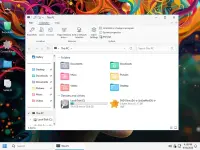
- OldNewExplorer: File Explorer customization tool.
- StartIsBack AIO: Start menu and Windows interface customization utility.
Installation and Important Notes
A clean installation is required. This build is not intended for upgrading an existing Windows installation. After installation, restart the computer before using the system.
Windows Defender has been removed. Install a reputable third-party antivirus solution and ensure that your system has appropriate protection before connecting to untrusted networks or handling downloaded files.
The removal of Windows Security components, SmartScreen, UAC, Windows Firewall-related functionality, recovery tools, and other system services significantly changes the normal Windows security and maintenance environment. Do not assume that standard Windows protection, troubleshooting, or recovery options remain available.
The build also disables several standard Windows functions, including Automatic Maintenance, Error Reporting, and notifications. Users who depend on these features should consider an unmodified Windows installation.
For the supplied desktop appearance, apply the StartIsBack.reg file located in the OEM (Files) folder. Otherwise, customize the interface according to your preferences.
The release notes mention a serial key or an activation utility in the Desktop folder. Use a valid Windows license and authorized activation method.
System Requirements
- Operating System: Windows 11 Pro Super Lite 24H2.
- Processor: 2 GHz or faster.
- RAM: 2 GB.
- Free Disk Space: 10 GB.
- Graphics Card: DirectX 9-compatible graphics device or newer.
- Touch Support: A tablet or monitor supporting multitouch is required for touch functionality.
- Microsoft Store: The supplied generic Windows requirements mention an active Internet connection and a minimum 1024 x 768 screen resolution for Store access. However, Microsoft Store is listed among the removed components in this edition, so Store functionality should not be expected.
Frequently Asked Questions
What is Windows 11 Pro Super Lite SysExeModOS Edition?
It is a customized and heavily reduced version of Windows 11 Pro 24H2, featuring extensive component removals and performance-oriented system adjustments.
Does this edition require TPM or a Microsoft account?
No. The standard TPM, hardware compatibility, and Microsoft account checks have been bypassed in this release.
Is Windows Defender included?
No. Windows Defender has been removed. Users should install a reputable third-party antivirus solution.
Can I upgrade my existing Windows installation?
No. The release specifically requires a clean installation. Back up important files before proceeding.
Does this build include Windows Recovery Environment?
No. WinRE and WinPE are listed among the removed components. Prepare alternative recovery media before installing this edition.
Is this edition suitable for beginners?
The release is primarily intended for advanced users. Its extensive removals and disabled security and maintenance features may cause compatibility or usability issues for people who rely on standard Windows functionality.
Homepage
Code:
https://www.microsoft.comProduct Information
- Software Name: Windows 11 Pro Super Lite SysExeModOS Edition
- Version: 24H2 Build 26100.3624
- Architecture: x64
- Languages: English
- License type: Full Version
- File Size: 2.16 GB

Download ( Rapidgator )
You do not have permission to view the full content of this post. Log in or register now.
AlfaFile
You do not have permission to view the full content of this post. Log in or register now.
You do not have permission to view the full content of this post. Log in or register now.
You do not have permission to view the full content of this post. Log in or register now.