 PH
PHChrolloXXIX
Fanatic

Custom Cursor Pack let you change your mouse pointer for Windows.
HOW TO USE
1. Download the file to the link provided.
2. Extract the file.
3. After extraction click any folder or select the folder you want to install.
4. Find the .inf extension file right click it then install, if an prompt box appear just click open.
5. Now click windows button on your keyboard and search for mouse pointer a mouse properties will show, make sure you are in the pointers tab.
6. Now in pointers tab find Scheme then click the dropdown then find the cursors pack you've installed, then hit apply then ok.
7. Enjoy using it
DOWNLOAD LINK
You do not have permission to view the full content of this post. Log in or register now.
NAHALUKAY KO LANG SA BAUL 'SALAMAT' LANG MASAYA NA KO
You do not have permission to view the full content of this post. Log in or register now.
NAHALUKAY KO LANG SA BAUL 'SALAMAT' LANG MASAYA NA KO


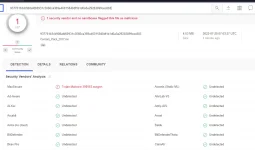
 buti pala chineck ko muna