 PH
PHTechSmith Camtasia v22.0.0 buid 38135 + Fix
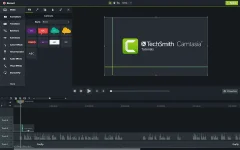
The Best All-In-One. Screen Recorder and Video Editor. Camtasia 2020 makes it simple to record and create professional-looking videos. Camtasia 2021's new video templates make it easier than ever to create the video you need.
FEATURES :-
Start Fast
Camtasia is quick to learn. You don’t need a big budget or fancy video editing skills. Start with a template or just record your screen and add a few effects.
Feel Confident
Whether you have experience or this is your first time making a video, we’ll give you everything you need to make a high-quality video.
Engage Viewers
Create content your viewers actually watch. A video will give you more interaction and help your audience to learn more than with text alone.
The best screen recording software for...
Templates
Pre-built video templates reduce editing time. Create custom templates for videos you frequently make.
Camtasia Packages
Share templates, libraries, themes, shortcuts, favorites, and presets in a single file.
Favorites & Presets
Instantly access your most used tools and effects. Save custom styles and configurations for frequent use.
Recording
Record anything on your computer screen–websites, software, video calls, or PowerPoint presentations.
Simplified Editing
Camtasia’s simple drag-and-drop editor makes adding, removing, trimming, or moving sections of video or audio a breeze.
Pre-Built Assets
Customize any of the royalty-free assets in the Camtasia library and add them to your video for a professional polish.
Options
Camtasia records exactly what you want–the entire screen, specific dimensions, a region, a window, or an application.
Capture
Add a personal touch to your videos by adding crisp video and audio straight from your webcam.
(Mic + System)
Record and edit your audio clips using a microphone, the sound from your computer, or import clips to get the perfect audio for your video.
Instructions :-
1. Install the program from the given setup. (untick auto launch of Camtasia at the end of install)
2. Don't run the application yet and close from system tray or task manager if running.
3. Copy 3 patched files from Crack folder to program directory.
4. Copy whole TechSmith folder from Cr@ck folder in: C:\ProgramData
5. Go to program directory, find CamRecorder.exe, right click on it and click Properties. Switch to Compatibility tab. At the bottom of the setting page click "Change settings for all users". Tick "Run this program as Administrator". click OK and save setting.
6. Disable Camtasia updater at launch. For both settings screens are included for ease.
7. Boom! Now you can use the program without any interruptions.
8. That's it, Enjoy now
*Use a firewall to block both incoming and outgoing connections of Camtasia. Do not update it.
LINK
You do not have permission to view the full content of this post. Log in or register now.
The Best All-In-One. Screen Recorder and Video Editor. Camtasia 2020 makes it simple to record and create professional-looking videos. Camtasia 2021's new video templates make it easier than ever to create the video you need.
FEATURES :-
Start Fast
Camtasia is quick to learn. You don’t need a big budget or fancy video editing skills. Start with a template or just record your screen and add a few effects.
Feel Confident
Whether you have experience or this is your first time making a video, we’ll give you everything you need to make a high-quality video.
Engage Viewers
Create content your viewers actually watch. A video will give you more interaction and help your audience to learn more than with text alone.
The best screen recording software for...
- Video tutorials
- How-to videos
- Demo videos
- Meeting recordings
- YouTube videos
- Training videos
- Video lessons
- Webinar recordings
- Instructional videos
- Explainer videos
- Presentation recordings
- ...and more!
Templates
Pre-built video templates reduce editing time. Create custom templates for videos you frequently make.
Camtasia Packages
Share templates, libraries, themes, shortcuts, favorites, and presets in a single file.
Favorites & Presets
Instantly access your most used tools and effects. Save custom styles and configurations for frequent use.
Recording
Record anything on your computer screen–websites, software, video calls, or PowerPoint presentations.
Simplified Editing
Camtasia’s simple drag-and-drop editor makes adding, removing, trimming, or moving sections of video or audio a breeze.
Pre-Built Assets
Customize any of the royalty-free assets in the Camtasia library and add them to your video for a professional polish.
Options
Camtasia records exactly what you want–the entire screen, specific dimensions, a region, a window, or an application.
Capture
Add a personal touch to your videos by adding crisp video and audio straight from your webcam.
(Mic + System)
Record and edit your audio clips using a microphone, the sound from your computer, or import clips to get the perfect audio for your video.
Instructions :-
1. Install the program from the given setup. (untick auto launch of Camtasia at the end of install)
2. Don't run the application yet and close from system tray or task manager if running.
3. Copy 3 patched files from Crack folder to program directory.
4. Copy whole TechSmith folder from Cr@ck folder in: C:\ProgramData
5. Go to program directory, find CamRecorder.exe, right click on it and click Properties. Switch to Compatibility tab. At the bottom of the setting page click "Change settings for all users". Tick "Run this program as Administrator". click OK and save setting.
6. Disable Camtasia updater at launch. For both settings screens are included for ease.
7. Boom! Now you can use the program without any interruptions.
8. That's it, Enjoy now
*Use a firewall to block both incoming and outgoing connections of Camtasia. Do not update it.
LINK
You do not have permission to view the full content of this post. Log in or register now.
