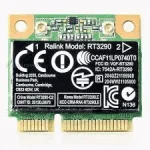
PH
PHYukihiro Rubio
Forum Veteran
mga paps patulong naman mahigis 20 tutorial na ang pinanood ko sa yt wala padin gumana 
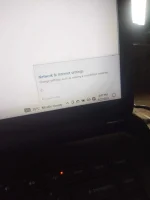
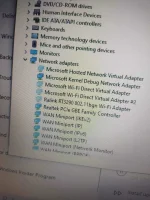
tingnan mo sa drivers sa device manager, baka walang driver
nag airplane mode po pag pinindot yannakupo ts pindutin mo yan at nadisable wireless capability ng lappy mo
View attachment 1956520
wala bang Fn ang keyboardmo? try mo Fn + that Wireless Key.nag airplane mode po pag pinindot yan
wala po changeswala bang Fn ang keyboardmo? try mo Fn + that Wireless Key.
ganto nalang i restart mo at i press yang key na yan ..and by the way nag upgrade ka ba ng os?wala po changes
TS, open mo Control Panel > Network and Internet > Internet and Sharing Center > Change Adapter Settings > Right click mo yung Wifi adapter mo sa nag open na window tas select mo "Disable" kung naka enable sya at "Enable" kung naka disable sya. Then ang huling setupan nyan dapat Enbled n sya. Restart.
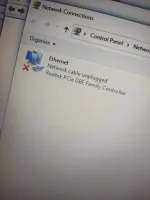
hindj poganto nalang i restart mo at i press yang key na yan ..and by the way nag upgrade ka ba ng os?
OK. eto naman:
 You do not have permission to view the full content of this post.
Log in or register now. tas scan at iinstall mo isa isa yung mga nadetect nya na compatible drivers, especially may kinalaman sa wireless adapter ng laptop mo.
You do not have permission to view the full content of this post.
Log in or register now. tas scan at iinstall mo isa isa yung mga nadetect nya na compatible drivers, especially may kinalaman sa wireless adapter ng laptop mo.restarting lods wait kopoOK. eto naman:
Run as Admin mo Command Prompt
Tas type and hit enter mo ang mga sumumusunod:
netsh int ip reset
netsh advfirewall reset
netsh winsock reset
ipconfig /flushdns
ipconfig /release
ipconfig /renew
Restart mo PC.
restarting lods wait kopo
ok, gawin mo toPag ayaw pa din, connect ka muna sa Ethernet or kung wala, by USB Tethering nalang sa mobile mo then update drivers ka. OR download and install mo ito

downloding po, napaka bagal ng tnt hahaok, gawin mo to
Pag hindi parin umubra PM mo ko, try kita i-assist remotely gamit teamviewer.downloding po, napaka bagal ng tnt haha
atayin ko muna matapos mag dl boss hehe, 0.4 palang hahahaPag hindi parin umubra PM mo ko, try kita i-assist remotely gamit teamviewer.