 PH
PHMr Brightside
Contributor
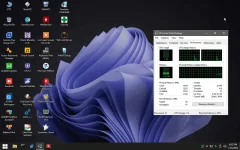
Windows PE (WinPE) is a small operating system used to install, deploy, and repair Windows desktop editions, Windows Server, and other Windows operating systems.
General Info:
File Name: WinPE10Ktv_v4.2_Final_2022
Format: ISO
Architecture: x64
Language: English US
Features:
- Boot Usb, Box, File Iso in 2 standards Legacy Mbr - UEFI GPT surpasses Soucre Boot
- WinPE boot up will automatically install and receive available Wifi Lan network, in case of attaching an external Wifi Usb after starting WinPE, just double-clicking Wifi Lan Drivers will automatically install Drivers.
- Get NVME Hard Drive Driver and Audio Audio on Gen11th
- After starting WinPE, unplugging the USB, you can still use the Software normally.
- Installing Setup Windows 10, 11 will automatically recognize the Driver for the NVME hard drive without the need for an external driver package to add manually.
- Installing Windows 11 Setup will surpass Soucre Boot, ByPass Check TPM 2.0
- Record, Test Microphone with PassMark Sound Check software.
- Record screen video, Record from ICE Cream Screen Recorder.
- Control remote computers with Ultraviewer and AeroAdmin, AnyDesk...
- The software is fine-tuned, there will be no message displayed, pleasant to use.
- Identify audio files Mp3, Wav, Lossless...
- Identify Video files Mp4, Mov, Mkv, Flv ... with Potplayer viewer.
- Recognize files Image, Png, Jpg, Ico, Bmp, ...
- Identify Office files, Word, Excel, Powerpoint, Sumatra PDF and type Vietnamese EVKey.
- Identify files Symantec Ghost, Acronis True Image, Terabyte, Aomei Backkuper, GHO, TIB, TBI, ADI, double click will View the file eg Ghost Explorer File Viewer, Terabyte View ...
- When you feel that WinPE takes up a lot of RAM, LAG, you can Right-click at Tool PECMD to select Clear All Software to clean up trash, delete all software, return WinPE to its original state, and then select Mount Software section to extract the software package as it did when WinPE started.
- WinPE will notify if your Usb, Box is missing File Software.wim and DriversWifiLan.wim, if missing File, please check the above 2 folders, to Copy the file to, or create a new Usb.
- WinPE will unpack different software packages, if the machine runs 2Gb RAM, the software package only has basic Soft, no audio Potplayer software, heavy software will be removed.
- Machine running RAM 4Gb or more, the software package will be F`U77.
- Run multiple software on WinPE at the same time.
- Run anti-virus programs DrWeb, Eset, Avira...
What's New:
- Change the Wi-Fi menu interface to match the dark theme.
- Add some icons for Wi-Fi, Usb, Recycle Bin, Hard Drive to easily identify USB sticks and hard drives in File Explorer.
- Add Safely HotSwap Software! Hardware, USB Flash Drive Safe Exit, Hard Disk Hot Exit, DVD Drive Safe.
- Reduce WinPE faster.
You do not have permission to view the full content of this post.
Log in or register now. / You do not have permission to view the full content of this post.
Log in or register now.