 PH
PHGentleman007
Elite
Windows Defender Uninstaller Remover for Windows 10 and 11 fully working on every build and version.
This is a new script for make a real uninstallation and complete deletion of Windows Defender on Windows 10 and Windows 11 fully working on every version and build include the latest Windows 11 build 22572 Dev
WARNING: THIS SCRIPT WILL DEFINITIVELY REMOVE and UNINSTALL Windows Defender and every files, folder and registry key linked to Windows Defender of your Windows installation. That mean you will can't use, reinstall or just repair Windows Defender without Reinstall or Update Windows with the official ISO you can get on the Microsoft's website. Do not use this script if you don't want uninstall and Remove Windows Defender completely and definitively of you Windows Installation.
How to use this script?
Yes you can contact me on my email adress for any question, bug report ect... : bolardy72100.ytb.21@gmail.com
Download link:
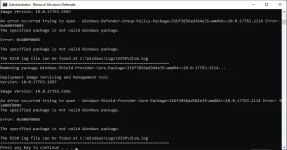
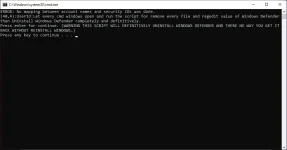
This is a new script for make a real uninstallation and complete deletion of Windows Defender on Windows 10 and Windows 11 fully working on every version and build include the latest Windows 11 build 22572 Dev
WARNING: THIS SCRIPT WILL DEFINITIVELY REMOVE and UNINSTALL Windows Defender and every files, folder and registry key linked to Windows Defender of your Windows installation. That mean you will can't use, reinstall or just repair Windows Defender without Reinstall or Update Windows with the official ISO you can get on the Microsoft's website. Do not use this script if you don't want uninstall and Remove Windows Defender completely and definitively of you Windows Installation.
How to use this script?
- Download the script on this page below this tutorial.
- Extract and execute the script. For Extract you must have Winrar or 7zip installed then extract with one of these software then type the password for extract.
- That will open a CMD Windows asking if you want uninstall Windows Defender, press for continue and uninstall Windows Defender, just close this window if you want stop it.
- Press Enter each time the script ask you press for continue.
- Then it is ended reexecute the script a 2nd time and press enter again it is needed on few cases.
- Check if your Antivirus and Windows Defender are disabled before execute the script.
- Try execute the Script in Administrator manually with a click right on the .exe then Run to Administrators.
- Disable Windows Defender and the antviruses then restart before try the script again.
- You can't get back Windows Defender excepted if you made a upgrade or reinstallation of Windows with the official ISO.
- Another unofficial way get it back is take the Windows Defender and Sec.UI-Health package from a Windows ISO of the same build than your Windows installation then try reinstall it but i don't know if that work.
- No, This script is programmed only for a complete uninstallation of Windows Defender and not for disable it.
Yes you can contact me on my email adress for any question, bug report ect... : bolardy72100.ytb.21@gmail.com
Download link:
- Download link: You do not have permission to view the full content of this post. Log in or register now.
- Download link 2: You do not have permission to view the full content of this post. Log in or register now.
- Password for extract and execute the script: KazutoSan72@$%?:YB381
