 PH
PH- Requirements:
Windows XP / Vista / Windows 7 / Windows 8 / Windows 10 / Windows 11
Download Instructions
- Select your model on the left side of this page. Once you arrive at the product support page follow these instructions.
- Select the “Drivers & Downloads” tab
- Select the “Software” tab
- Find the “EOS Utility” and click the “SELECT” button
- File description will open and click “I have read and Agree to terms…” message once you agree the download button will turn red and you will be able to click and download the utility
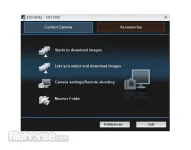
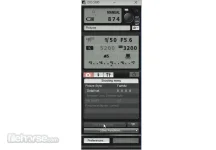
EOS Utility also allows you to remotely operate the camera from your computer using either a USB cable, via Wi-Fi if your camera includes it or via a separate Wireless File Transmitter (excludes EOS M). The EOSUtility tool is included in the initial software setup for your EOS camera.
Note: Requires You do not have permission to view the full content of this post. Log in or register now..
Download link:You do not have permission to view the full content of this post. Log in or register now.