 PH
PHarsenal1205
Rarely opens PHC
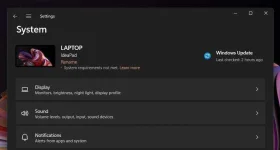
Some users wants to Remove the "System requirements not met" watermark in Windows 11, as it doesn't add any value for the end user. If he managed to install Windows 11 on his device, he is already aware of the hardware incompatibility. Still Windows 11 shows such a notification in the Settings app and on the Desktop.
Starting in build 22557, the operating system shows a message right on the desktop that includes the full build tag entitled with the "System requirements not met" line.
However, most users are already aware of their hardware specs. Installing Windows 11 on such an unsupported device is a You do not have permission to view the full content of this post. Log in or register now.. So it is unlikely that you will quickly forget that your device doesn't meet the minimum hardware requirements of the latest OS.

If you aren't happy to see such a reminder on your desktop, you can easily hide it with a simple Registry tweak.
Remove "System Requirements Not Met" Watermark
To remove the "System Requirements Not Met" desktop watermark in Windows 11, do the following.
Note: In case you don't have the UnsupportedHardwareNotificationCache key, create it manually. For that, right-click the HKEY_CURRENT_USER\Control Panel and select New > Key from the menu. Name the new key as UnsupportedHardwareNotificationCache and you are good to go to create the SV2 option as described above.
Once you complete the above instructions, Windows 11 won't display the notification any longer. The system requirements watermark will disappear from both Desktop and You do not have permission to view the full content of this post. Log in or register now..
To save your time, you can download the following ready-to-use Registry files.
However, keep in mind that currently the watermark appears in Insider Preview builds. Any of the stable builds of Windows 11 to this time don't show such a notification. Perhaps, it will appear for stable version users this year with Windows 11 22H2, which Microsoft is set to release this year.
FROM: WINAERO
Starting in build 22557, the operating system shows a message right on the desktop that includes the full build tag entitled with the "System requirements not met" line.
However, most users are already aware of their hardware specs. Installing Windows 11 on such an unsupported device is a You do not have permission to view the full content of this post. Log in or register now.. So it is unlikely that you will quickly forget that your device doesn't meet the minimum hardware requirements of the latest OS.
If you aren't happy to see such a reminder on your desktop, you can easily hide it with a simple Registry tweak.
Remove "System Requirements Not Met" Watermark
To remove the "System Requirements Not Met" desktop watermark in Windows 11, do the following.
- Press Win+R and type regedit in the Run box to open the Registry editor.
- Navigate to the following branch: HKEY_CURRENT_USER\Control Panel\UnsupportedHardwareNotificationCache.
- In the right pane, change the SV2 dword value from 1 to 0.
- You do not have permission to view the full content of this post. Log in or register now. Windows 11. The desktop watermark telling about hardware specs should disappear.
Note: In case you don't have the UnsupportedHardwareNotificationCache key, create it manually. For that, right-click the HKEY_CURRENT_USER\Control Panel and select New > Key from the menu. Name the new key as UnsupportedHardwareNotificationCache and you are good to go to create the SV2 option as described above.
Once you complete the above instructions, Windows 11 won't display the notification any longer. The system requirements watermark will disappear from both Desktop and You do not have permission to view the full content of this post. Log in or register now..
To save your time, you can download the following ready-to-use Registry files.
DOWNLOAD REG FILES
- You do not have permission to view the full content of this post. Log in or register now. to download the ZIP archive with two REG files.
- Extract them to any location. You can simply put them to the Desktop.
- Double-click the file "Remove the System Requirements Not Met watermark.reg" file.
- Confirm the UAC prompt and restart your Computer.
However, keep in mind that currently the watermark appears in Insider Preview builds. Any of the stable builds of Windows 11 to this time don't show such a notification. Perhaps, it will appear for stable version users this year with Windows 11 22H2, which Microsoft is set to release this year.
FROM: WINAERO
