 PH
PremiumCourses
Honorary Poster
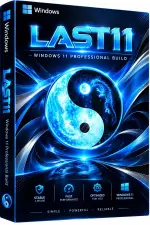
Free Download Windows 11 Pro Lite 25H2 Build 26200.8655 Last11 v13.1 | Windows x64 | No TPM | Languages: English | File Size: 8.38 GB
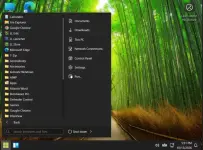
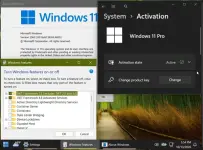
Windows 11 Pro Lite Last11 is a customized, lightweight edition of Windows 11 Pro 25H2, designed to provide a streamlined desktop experience with a collection of system modifications and optional configuration tools.
This release includes a simplified installation process and removes the standard TPM requirement. Its security features are disabled by default, but users can restore selected protections through the included LastOS-Options utility or LLStore. Defender Control can also be used to re-enable Microsoft Defender after the relevant security settings have been restored.
The edition is intended for users who want more control over Windows components and system configuration. Review the included modifications carefully before using it as your everyday operating system.
Software Overview
Windows 11 Pro Lite 25H2 Last11 v13.1 is a modified Windows distribution based on Microsoft's Windows 11 platform. It combines a lightweight configuration with additional utilities for managing system options, including security-related settings.
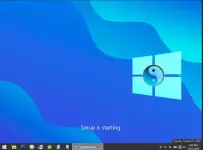
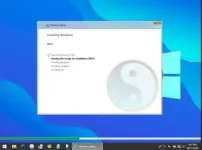
The installation is started by clicking the Install shortcut on the desktop. The included LastOS-Options tool provides controls for enabling or disabling selected security features, with an equivalent set of options available through LLStore.
Key Features
- Windows 11 Pro 25H2 Base: Based on Windows 11 Pro Build 26200.8655.
- Lite Configuration: Customized to provide a more streamlined Windows installation.
- No TPM Requirement: The standard Windows 11 TPM restriction has been removed.
- LastOS-Options Utility: Provides options to enable or disable selected security features.
- LLStore Integration: Offers another way to manage the included security settings.
- Defender Control: Can be used to re-enable Microsoft Defender after restoring the relevant security settings.
- Desktop Installation Shortcut: Start the installation process using the Install shortcut on the desktop.
- Customizable Security Settings: Security features disabled by default can be selectively re-enabled by the user.
Last11 v13.1 is suited to users who prefer a customized Windows environment and want access to additional configuration tools. Instead of requiring users to manually locate every included setting, the release provides LastOS-Options and LLStore for managing selected system options.
Its modified installation process and removal of the TPM restriction may also be useful when installing Windows on hardware that does not meet the standard Windows 11 requirements.
Security Notes
Security features are disabled by default in this release. According to the supplied release notes, this configuration is intended to reduce disk activity and CPU interruptions.
Users can restore the available security settings by running
LastOS-Options_v4.exe from the LastOS-Options folder on the desktop or from the installation ISO at:
Code:
X:/ssTek/sources-x64/$FirstLogonApps/LastOS-Options_v4.exeImportant: Disabling security protections increases exposure to malware, malicious downloads, and other online threats. Re-enable appropriate protections before connecting to the Internet or using the system for sensitive activities. Do not assume that safe browsing habits can replace antivirus and other security measures.
Installation Notes
- Click the Install shortcut on the desktop to start the installation.
- Review the available LastOS-Options before changing security settings.
- Use LLStore if you prefer to manage the included options through that utility.
- Restore appropriate security protections before regular online use.
- Back up important files before performing a clean installation.
The supplied minimum requirements are:
- Processor: 2 GHz or faster.
- Memory: 2 GB RAM.
- Storage: 20 GB of available hard disk space.
- Graphics: DirectX 9-compatible graphics device or newer.
- Touch Support: A tablet or monitor supporting multitouch is required for touch functionality.
- Microsoft Store: An active Internet connection and a screen resolution of at least 1024 x 768 pixels are required to access the Store, download, and run applications.
Code:
https://www.microsoft.com- Software Name: Windows 11 Pro Lite Last11
- Version: 25H2 Build 26200.8655 v13.1
- Architecture: x64
- Languages: English
- License type: Full Version
- File Size: 8.38 GB


Download ( Rapidgator )
You do not have permission to view the full content of this post. Log in or register now.
AlfaFile
You do not have permission to view the full content of this post. Log in or register now.
You do not have permission to view the full content of this post. Log in or register now.
You do not have permission to view the full content of this post. Log in or register now.
You do not have permission to view the full content of this post. Log in or register now.
You do not have permission to view the full content of this post. Log in or register now.