PH
PHHello! I'd like to share a simple tutorial kung papaano ba mag-add ng books sa kindle without buying it on amazon.
1. You need install Kindle app on your phone then sign in if may Amazon account ka na. SIgn-up if wala pa.
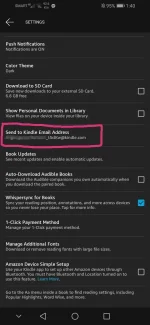
2. Once signed in, click 'MORE' -> 'SETTINGS' -> 'SEND TO KINDLE EMAIL ADDRESS' -> Save that email address.
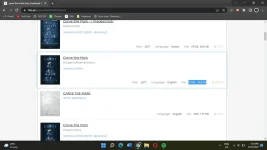
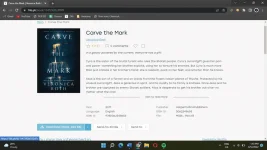
3. You can download books in Z library (just search it sa Google) make sure that it is in .mobi format.
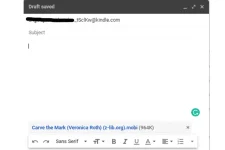
4. Once downloaded, you can email the books to your kindle email address using your gmail or any other email address.
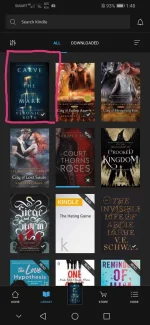
5. Launch the Kindle app again, and reload. You'll see your imported books.
It also works for those who have Kindle Paperwhite.
Happy reading!
1. You need install Kindle app on your phone then sign in if may Amazon account ka na. SIgn-up if wala pa.
2. Once signed in, click 'MORE' -> 'SETTINGS' -> 'SEND TO KINDLE EMAIL ADDRESS' -> Save that email address.
3. You can download books in Z library (just search it sa Google) make sure that it is in .mobi format.
4. Once downloaded, you can email the books to your kindle email address using your gmail or any other email address.
5. Launch the Kindle app again, and reload. You'll see your imported books.
It also works for those who have Kindle Paperwhite.
Happy reading!