PH
PHRequirements:
Windows XP / Vista / Windows 7 / Windows 8 / Windows 10
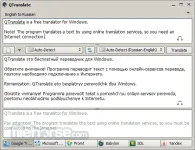
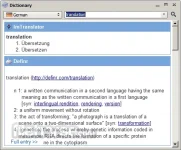
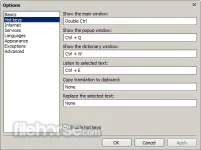
QTranslate is a You do not have permission to view the full content of this post. Log in or register now.. With this small utility, you simply select the text you want to translate and then press the hotkey (Ctrl+Q to show translation in the popup window or Double Ctrl click to show the translation in the main window). QTranslate also has the ability to speak text Ctrl+E and perform a dictionary search Ctrl+Shift+Q. Also, you can open the main window and type text manually.
The following translation services are supported:
Windows XP / Vista / Windows 7 / Windows 8 / Windows 10
QTranslate is a You do not have permission to view the full content of this post. Log in or register now.. With this small utility, you simply select the text you want to translate and then press the hotkey (Ctrl+Q to show translation in the popup window or Double Ctrl click to show the translation in the main window). QTranslate also has the ability to speak text Ctrl+E and perform a dictionary search Ctrl+Shift+Q. Also, you can open the main window and type text manually.
The following translation services are supported:
- Google Translate
- Bing Translator
- Promt
- Babylon
- SDL FreeTranslation.com
- Yandex.Translate
- youdao
- Baidu
- Naver
- Features and Highlights
- You do not have permission to view the full content of this post. Log in or register now. in any application that supports text selection
- Speech recognition
- Image text recognition (OCR API provided by OCR.SPACE)
- Text to speech synthesis
- Search in online dictionaries
- Search in offline XDXF dictionaries
- You do not have permission to view the full content of this post. Log in or register now.
- Word suggestion/autocomplete
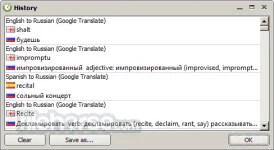
- History of translations
- Virtual keyboard