 PH
PH- Requirements:
Windows XP / Vista / Windows 7 / Windows 8 / Windows 10
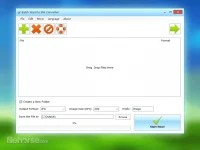
With this tool, you can save Word files into JPG, PNG, BMP, TIF, GIF, PCX, and TGA pictures without installing MS Office and Word suite. You can add hundreds or thousands of Word files to convert at once. In addition to those image formats, Word to JPG converter also supports You do not have permission to view the full content of this post. Log in or register now., so you can batch create PDF documents from Word files to transfer your documents on the internet with much smaller file size than images.
Besides *.Doc and *.Docx formats, Word to Image Converter also supports to convert rich text RTF formats, HTML and HTM web page formats, and Open Document Format (ODT) into various image formats.
Word to JPG Converter also allows you to set the output image size. You can simply set the DPI value (such as 200, 300, 500) to get better output image size and quality.
Easily convert, save, and split You do not have permission to view the full content of this post. Log in or register now. pages into JPG and more picture formats. Download the Word to JPG converter now and start converting,
Batch WORD to JPG Converter is an offline software utility that doesn't upload any file or data to the web. It only converts your files to your local PC without installing any toolbar or adware, so you do not need to worry about your privacy and data security.
Features and Highlights
- Convert Word Doc/Docx Files to JPG Format in Bulk
- Support DOC, DOCX, RTF, HTML/HTM and ODT(Open Document Format) to Images
- Multiple Image Formats Output: JPG PNG BMP TIF GIF PCX TGA
- Convert Documents to PDF format
- You do not have permission to view the full content of this post. Log in or register now. and Word are not Required
- Customize Converted Image Size and DPI
- Split Word Pages to JPG
- Multi-language

 salamat propesora keep sharing!