PH
PH- Requirements:
Windows 10 (32-bit) / Windows 10 (64-bit)
The brand-new Windows Terminal improves upon the legendary command-line system administrator app by adding a fast, optimized, and powerful terminal application platform for a new modern age. With full support for shells like Command Prompt, You do not have permission to view the full content of this post. Log in or register now., and WSL, new Windows Terminal adds more modern user interface features such as tabs, GPU accelerated text rendering engine, Unicode, and UTF-8 character support, custom themes, and in-depth user configuration support. Built as the new open-source environment under the code name “Cascadia” and developed with the insights and direct contribution from the worldwide community, new Windows Terminal strives to greatly enhance productivity for professional users who are used to control and monitor their workflow jobs with this popular command-line tool.
Other much-requested features available in Cascadia are the support for window transparency effects, 24-bit color support, JSON settings file, integration with You do not have permission to view the full content of this post. Log in or register now. Narrator, support for Azure Cloud Shell Connector, ANSI/VT sequences, and the ability to copy HTML format text to the clipboard.
However, be aware that as of late 2019 this developer utility app was still in the early preview release, providing users only access some of its features such as innovative “assistive technology”. According to the official listing on the Windows Store, at that point, It was still not formally tested and users could experience various bugs and instabilities, which are being aggressively fixed on the road to releasing a final stable build.
Installation and Use
Windows Terminal is a developer utility app that is as of 2019 still in the early preview phase of release. But even in this development state, many developers are gladly using it to enhance their daily workflow.
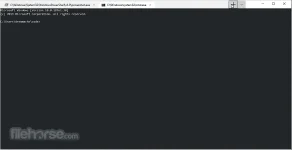
The app can be quickly installed from its official Windows Store page by clicking on the “Get” button. Upon finishing the installation, you can start it and immediately notice many of the improvements new this codename “Cascadia” app is offering to professional users. The most noticeable difference is the presence of tabs, GPU accelerated rendering and configuration area that can be accessed by clicking on the “+” button at the right of your latest tab. Settings can also be activated with a keyboard shortcut “Ctrl+ ,”.
Features and Highlights
- A brand new modern You do not have permission to view the full content of this post. Log in or register now. for professional users.
- Introduction of the tabbed interface.
- Full support for modern Unicode character rendering.
- GPU-accelerated app.
- Advanced customizability.
- 100% FREE
Download link:
You do not have permission to view the full content of this post. Log in or register now.