PH
PH- Requirements:
Windows XP 64 / Vista 64 / Windows 7 64 / Windows 8 64 / Windows 10 64
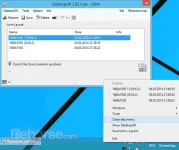
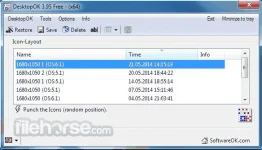
DesktopOK 64-bit is a small but effective solution for users that have to You do not have permission to view the full content of this post. Log in or register now. often. t is also good for windows users who often have to work with a projector on the notebook eg laptop or tablet-pc.
After you change the screen resolution you can find icon chaos on the windows desktop, as if a bomb had hit it. The icon position will shift and Windows will not correctly restore the desktop icon position. DesktopOK 64-bit has also other helpful functions, you can find this, in the Main-Menu, Tools.
Features and Highlights
- Save your favorite icon locations for each screen resolution.
- Easily minimize all of the windows on your screen
- Launch at Windows startup.
- Each user can then have his own arrangement.
- Portable Windows app.
- Autosave the Desktop Icon Layout
- Change Language
- Maximize the number of windows desktop icon
- Change Windows Desktop Icon Size
- Minimizes to tray area for easy access.
- Multilingual
- Automatically hide and display desktop icons
Download link:You do not have permission to view the full content of this post. Log in or register now.