 PH
PHProfessora Akira
☯️ SôulNinetãiL☯️
- First, open the Magisk App on your device.
- Then Select on the uninstall button.
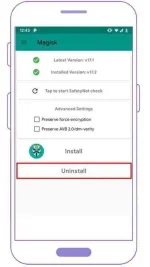
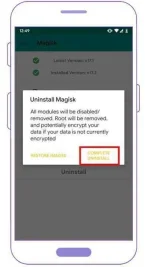
- Finally, Tap on the ”COMPLETE UNINSTALL” to uninstall Magisk.
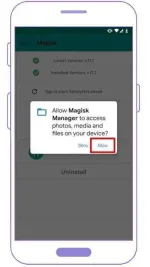
- Then the Magisk app will ask for permission to install the Magisk Uninstaller file, click on the allow button to grant the permission.
- Once the Magisk Uninstaller file is downloaded and process is done, it will uninstall Magisk, and your phone will reboot automatically.
- That’s It

source:guidetorootAndroid