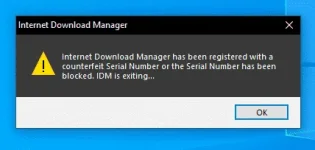
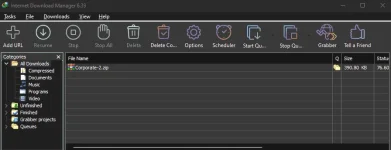
Uninstall this version, go to the search bar and look for Control panel click items by Category, large icons, or small icons.
choose by category. under the program, click on Uninstall a Program. look for the app
Internet Download Manager and double click on that to uninstall it.
then click full uninstall and click next. Click on finish and wait for a while to complete the process. Now, it will ask you to restart or reboot your computer. Wait for a while to restart your Laptop or computer after uninstalling IDM.
. After restart, download another version of Internet Download Manager.
. First, disable or disconnect the internet. And the second, that we have to disable our antivirus protection for a while. Just turn it back on after the installation is complete
. Now, go to the downloaded file. Right-click and extract the files. You can extract it using win-rar, 7-zip, or any other program. It will ask you for the password. which: solve-it dot pk.
To install the IDM, double click on the IDM_Setup file or right-click on it and run it as administrator. Now, install the program Once the installation is finished. It will show another error that the Trail period had ended.
Go back to the folder. And copy the A-I-O patcher file. Now, move on to your desktop.
-Find the internet download manager icon. Right-click this icon and from the options>, choose open file location.
-Right-click here and paste the copied file here
-. Click on continue. Next, you have to right-click on the A-I-O patcher file.
- run it as administrator. A little window will pop up.
-Click on ρá†ch. Just click once and wait. Another window will pop up. Click on ρá†ch again. As you can see, patching is successful.
Now exit the program. Congrats. We are done successfully. Do not update the IDM if any kind of notice appears. Finally, you can turn on your internet and antivirus protection
Download link:
You do not have permission to view the full content of this post.
Log in or register now.... Password: solveit.pk
ctto
 PH
PH