PH
PHairwavemac
тωєηту-мσяє
salamat din po lodsSalamat Lods
salamat din po lodsSalamat Lods
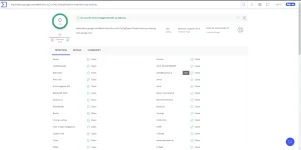
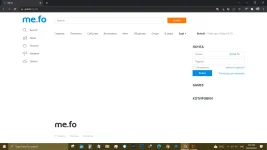
wait lang gawa ako tut about dyan..Sir just want to ask.. From the moment na naistalled ko itong PS2022, frequently lumalabas itong me.fo everytime na mag o-open ako ng Google Chrome Browser ko. Paano po kaya ito ire-remove? Thanks po!
View attachment 1808417

maraming salamat din po at naappreciate nyo po itong thread kosalamat po, keep sharing

Thank you Sir! Ngayon ko lang po nabasa yung reply nyo. Ang ginawa ko po is uninstall/reinstall yung chrome ko then it fixed the problem.wait lang gawa ako tut about dyan..
Edited:
eto na boss
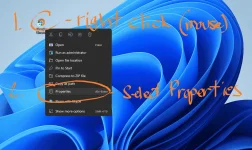
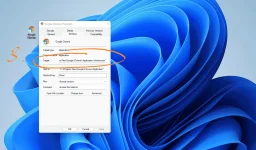
para mawala yan.. point mo yung cursor mo sa browser na gamit mo.. then right click for option then select Properties
View attachment 1809089
then sa Target, dapat eto lang nakalagay sa box "C:\Program Files\Google\Chrome\Application\chrome.exe" if may website pa na nakalagay after ng ..chrome.exe" Delete mo lang then click Apply and Save.
View attachment 1809095
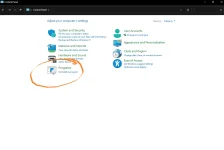
then after nyan go to Control Panel then select Uninstall Program
View attachment 1809106
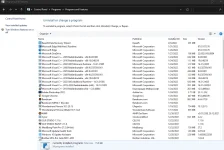
then find mo nalang yung site na yan then uninstall it. or yung program na di ka pamilyar at di mo naman ini-install, check mo rin kung kailan sy na installed.. then isipin mo yung date kung kailan mo na encounter yun ganyang prob if nag tugma sa date yun na yun.
hope nasolve natin problema mo boss
View attachment 1809107
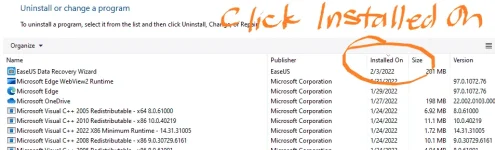
TIP: para mabilis mahanap yung latest installed na app mo just click INSTALLED ON.
just in case lang naman
View attachment 1809127
Ayos boss..Thank you Sir! Ngayon ko lang po nabasa yung reply nyo. Ang ginawa ko po is uninstall/reinstall yung chrome ko then it fixed the problem.

Thank you po! Working.
thanks din po mga lodsthanks po.
salamat dito lodswait lang gawa ako tut about dyan..
Edited:
eto na boss
para mawala yan.. point mo yung cursor mo sa browser na gamit mo.. then right click for option then select Properties
View attachment 1809089
then sa Target, dapat eto lang nakalagay sa box "C:\Program Files\Google\Chrome\Application\chrome.exe" if may website pa na nakalagay after ng ..chrome.exe" Delete mo lang then click Apply and Save.
View attachment 1809095
then after nyan go to Control Panel then select Uninstall Program
View attachment 1809106
then find mo nalang yung site na yan then uninstall it. or yung program na di ka pamilyar at di mo naman ini-install, check mo rin kung kailan sy na installed.. then isipin mo yung date kung kailan mo na encounter yun ganyang prob if nag tugma sa date yun na yun.
hope nasolve natin problema mo boss
View attachment 1809107
TIP: para mabilis mahanap yung latest installed na app mo just click INSTALLED ON.
just in case lang naman
View attachment 1809127
Salamat din bosssalamat boss
Thanks din lodsThanks lodi
salamat din lodsPatry neto lods. Keep on sharing. Salamat.
yer serGumagana camera raw neto ser?
salamat din papsayus to paps..masubukan nga.. salamat