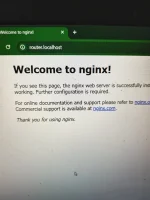
Mukhang ok naman sa u na, Lods
Gamit ka ubus command para sa bandlocking
Download mo nginx.zip na pang r051, Lods
Page 165
Sa pc windows, extract nginx.zip
Run nginx.exe
Pag may error nginx temporary disabled windows protection at antivirus
Then open any browser like chrome, firefox etc
i type ang router.localhost then press enter, login using ur username and pass, hanapin sa dashboard telnet enabled click apply lang yan
Then sa command prompt
Type telnet 192.168.1.1
User root
pass root or notion
Next ssh enabled using telnet commands, backread page 143 to 148
Pag success na lahat next na yung bandlocking using ubus commands
R051 ssh bandlock w/ frequenlock using ubus commands
Band3 frequency 1350
ubus call cm set_cell_lock '{"mode":"1","act":"3","band":"3","freq":"1350","cellid":"0"}'
Band3 frequency 1775
ubus call cm set_cell_lock '{"mode":"1","act":"3","band":"3","freq":"1775","cellid":"0"}'
Band3 frequency 1650
ubus call cm set_cell_lock '{"mode":"1","act":"3","band":"3","freq":"1650","cellid":"0"}'
Band28
ubus call cm set_cell_lock '{"mode":"1","act":"28","band":"28","freq":"9305","cellid":"0"}'
 PH
PH