PH
PH- Requirements:
Windows XP / Vista / Windows 7 / Windows 8 / Windows 10
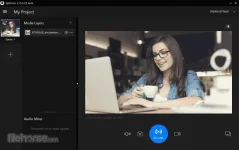
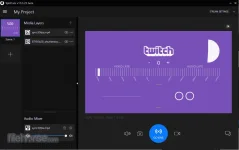
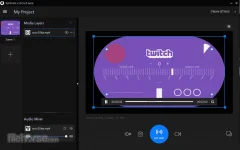
SplitCam is powerful stream studio You do not have permission to view the full content of this post. Log in or register now.. With SplitCam you can stream directly to Twitch.tv, Youtube, Facebook and e.t.c. at the same time, with minimum CPU load... and also you can add webcam, screen, game or many cool effects to your video stream.
Additionally SplitCam is the easiest way to split your webcam to several programs like You do not have permission to view the full content of this post. Log in or register now., Google Hangouts and Facebook Messenger at the same time.
The name of the program consists of two words – Split and Camera. Why it’s so? The answer is very simple. Initially the program was designed to solve a problem with You do not have permission to view the full content of this post. Log in or register now. by applications in Windows operating system. If you are not aware of this problem try to connect your webcam to Skype and right after this connect the webcam to Facebook Messenger.
Stream video to few stream channels at the same time, from your HD camera and other video sources, without video quality loss. Feel free to use your webcam in several applications without receiving “webcam busy” error. Believe your webcam can do more!. Mix audio sources (mic, audio file, etc.) in one audio stream. With Split Cam, your webcam will work in a new way!
 Features and Highlights
 HD video broadcast
Stream video from your HD camera without video quality loss. Select needed resolution manually.
Video splittingFeel free to use your webcam in several applications without receiving “webcam busy” error.
Realistic 3D MasksReplace whole your head with some 3D object. Just imagine virtual elephant or some other animal.
All popular services supportSkype, Google Hangouts, You do not have permission to view the full content of this post. Log in or register now., Windows Live Messenger, ICQ, Camfrog, Youtube and more…
Streaming to popular servicesTwitch.tv, Livestream, Ustream, Facebook, Youtube Live, Periscope and other services in few clicks and using all features.
Zoom video featureZoom your video in the app and stream only needed part of it.
Download link:You do not have permission to view the full content of this post. Log in or register now.