PH
PH Requirements:
Windows XP / Vista / Windows 7 / Windows 8 / Windows 1
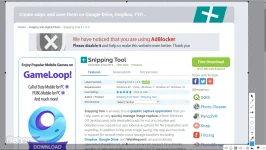
Snipping Tool is an easy to use You do not have permission to view the full content of this post. Log in or register now. that can help users to very quickly manage image capture of their Windows OS desktop area, with dedicated tools for not only intuitive and detailed area capture but also extensive options for file preparation and exporting. Enjoy!
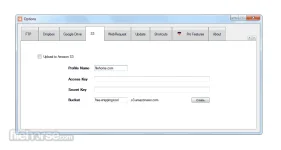
In addition to the local image saving, the app also has built-in support for several major cloud storage locations (including You do not have permission to view the full content of this post. Log in or register now., You do not have permission to view the full content of this post. Log in or register now., and WebRequest), an automatically generated shareable link, and even advanced support for the automatic sending of captured desktop area images to FTP server of your choice.
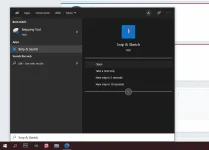
While Windows 7 OS (and all newer versions) has a built-in tool for full desktop and area snipping tool for quick capture of screenshots, many users have E×ρréššed a need for a bit more comprehensive toolset for managing more advanced types of capture and additional options for screenshot sharing. To provide service that many users desire, You do not have permission to view the full content of this post. Log in or register now. comes with its own feature set.
Snipping Tool app can enable anyone to set up their real-time or delayed capture of the entire or predefined desktop area. The captured snips are not just saved to your local storage immediately. You get the chance to review them, and even use built-in highlighting tools to mark them, freely draw on them via the pen tool, or even place some of the available overlay shapes (a wide variation of arrows, rectangles, circles, and more).
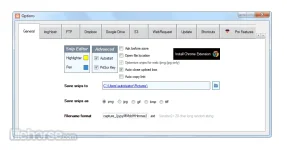
The user interface of the app features a canvas where your snips are displayed, and a row of 12 main tools, including Upload, Delay, Highlighseeter tool, You do not have permission to view the full content of this post. Log in or register now. (both with customizable colors), Shapes, and Reset Snip. In the options window, you can also focus on advanced features such as cursor capturing, watermarking, and more.
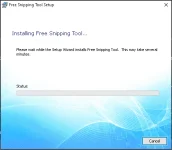
Free Snipping Tool is optimized for all modern versions of Windows OS (XP, 2K, 2003, 2008, 7, Vista, 8, and 10).
Download link:You do not have permission to view the full content of this post. Log in or register now.