PH
PHTotoyAbnoy1337
Leecher
What is CGNAT ? (Carrier-grade Network Address Translation)
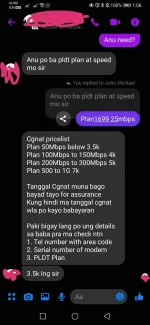
- Carrier-grade Network Address Translation (CGNAT) is an IP address provisioning method using a private IP address block used by Internet Service Providers due to the declining availability of public IPv4 addresses. As of 2020, PLDT has been transitioning both DSL and Fibr customers to CGNAT through modem/ONU firmware updates for existing users. New customers are automatically put under CGNAT. Additionally, service requests involving the resetting of the modem/ONU will also put the customer under CGNAT.
How to Tell If You Have Carrier Grade NAT (CGNAT)
Method 1.
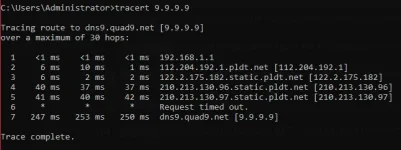
Open CMD and Run Tracert Command (Copy the Command Bellow and Paste it in CMD)
Example of CGNAT:tracert 9.9.9.9
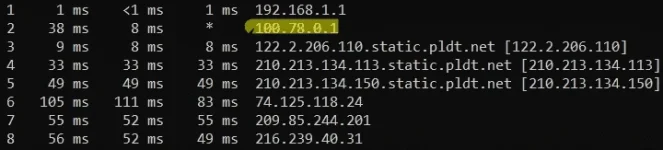
Method 2.
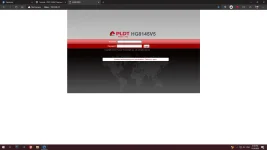
Log in to your router's gateway and go to wan status, then check your vlan to see whether it's 1030, and if it is, you have CGNAT.
You do not have permission to view the full content of this post. Log in or register now.
How to remove CGNAT? (without Calling 171)
Method 1. (Patient Route) *Free
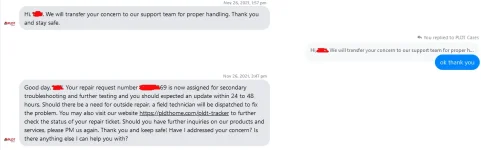
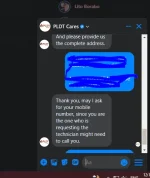
Message them in Messenger or in Twitter
(I'm not sure whether it will work in your situation, but here is how I accomplished it: simply message them over messenger.)
Here's my message you can copy and paste it.
Hello, may I possibly have cgnat (Carrier-grade NAT) reconfigured or removed?, Please keep in mind that I am requesting only
Method 2. (Impatient Route) *not recommended but free
Getting out of CGNAT without calling PLDT
Applies to: All AN5506-04 series, HG6245D*, All Huawei ONTs
* Locked to VLAN 1030; needs to be flashed with another firmware for this to work.
!!!!!This will only work on some areas if the default VLAN of the ONT is 1030. If the default is 10, this won't work at all.!!!!!!
1. Login as superadmin.
2. Go to
For FiberHome ONTs:
Network then BroadBand Settings
For Huawei ONTs:
WAN then WAN Configuration
3. Change VLAN to 1039 or 1059.
4. Click "Apply"
this not advisable for not techie member..
kung gagawin nyo at "do it at your own risk"
or call 171 to uncgnat
Method 3. (Expensive Route) *If your impatient but rich this method is for you !
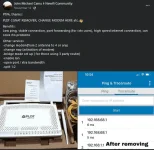
(Just search in FB "PLDT CGNAT Removal" and Alot Sellers will provide services)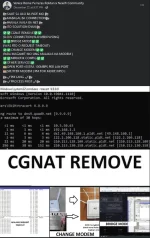
How to check if you dont have CGNAT
Open CMD and Run Tracert Command and check for 100.xxx.xxx series IP if you have it your still on cgnat
tracert 9.9.9.9
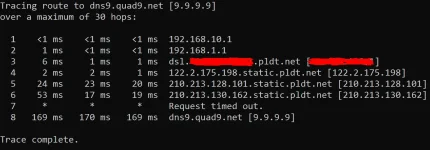
If your traceroute looks like mine, Congratulations you don't have cgnat anymore.![jokiss69 - totoy abnoy devil laugh [LTyAa7_GxwI - 961x721 - 0m12s].webp](https://data.phcorner.org/attachments/8362/8362028-6237fd15002b6a09eff355f9699a4313.jpg?hash=iVg3B0VWT2 "jokiss69 - totoy abnoy devil laugh [LTyAa7_GxwI - 961x721 - 0m12s].webp")



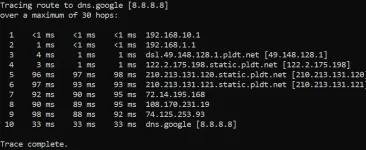
 ks
ks
 This will only work on some areas if the default VLAN of the ONT is 1030. If the default is 10, this won't work at all.