 PH
PHnachovarga
Fanatic
PDF Expert
Edit and Sign PDF
Description
Read, annotate and edit PDFs like never before!
Edit PDFs*
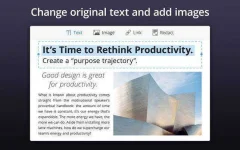
PDF Expert is the best way to edit PDF text, images, links and outlines. Fixing a typo or changing a logo in a contract, or updating your CV is now a matter of a few seconds.
Slick and Fast
From the first document, PDF Expert springs into action with smooth scrolling and fast search. PDFs open instantly, whether they are just small attachments or 2000-page reports.
** Robust and Beautiful**
When it’s time to edit, all the great tools you need are easy to find and just a click away. PDF Expert’s quick annotations, easy form filling, and powerful file merging will chew through your work in record time.
*Edit - Seamlessly edit PDF text, adjust or replace images, add links to text and edit outlines.
* Read – An award-winning, lightning-fast, and tabbed document viewer will get you through multiple PDFs faster than ever.
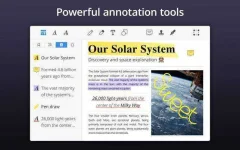
* Annotate – Classic tools and unique innovations enable you to highlight, note, and instruct with just a click.
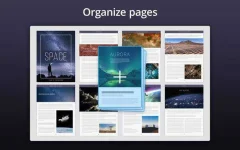
* Merge – Combine multiple documents into a new PDF, or borrow individual pages.
* Convert – Convert to PDF such popular text formats as Word, Pages, Docs, etc.
~ The feature requires Pages or Microsoft Word apps to be installed on your Mac.
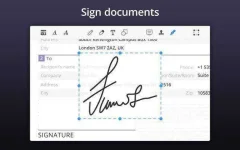
* Sign – Create multiple signatures for every situation and sign on the line with a single click.
* Fill Out – Avoid your printer with smart tools for filling forms that save you both paper and time.
** Robust File Sharing **
You don’t work in a bubble, and neither does PDF Expert. When it’s time to send documents to clients, coworkers, and everyone in between, PDF Expert has top-notch support for your Mac’s system-wide share sheet and other apps. If an app accepts PDFs, PDF Expert can get it there.
You can also password protect sensitive documents before sharing them.
** PDF on your Mac, iPhone and iPad **
Work across Mac, iPad, and iPhone. Use Readdle Transfer features to seamlessly switch devices in the middle of a document. PDF Expert is there with you.
You do not have permission to view the full content of this post. Log in or register now.
Edit and Sign PDF
Description
Read, annotate and edit PDFs like never before!
Edit PDFs*
PDF Expert is the best way to edit PDF text, images, links and outlines. Fixing a typo or changing a logo in a contract, or updating your CV is now a matter of a few seconds.
Slick and Fast
From the first document, PDF Expert springs into action with smooth scrolling and fast search. PDFs open instantly, whether they are just small attachments or 2000-page reports.
** Robust and Beautiful**
When it’s time to edit, all the great tools you need are easy to find and just a click away. PDF Expert’s quick annotations, easy form filling, and powerful file merging will chew through your work in record time.
*Edit - Seamlessly edit PDF text, adjust or replace images, add links to text and edit outlines.
* Read – An award-winning, lightning-fast, and tabbed document viewer will get you through multiple PDFs faster than ever.
* Annotate – Classic tools and unique innovations enable you to highlight, note, and instruct with just a click.
* Merge – Combine multiple documents into a new PDF, or borrow individual pages.
* Convert – Convert to PDF such popular text formats as Word, Pages, Docs, etc.
~ The feature requires Pages or Microsoft Word apps to be installed on your Mac.
* Sign – Create multiple signatures for every situation and sign on the line with a single click.
* Fill Out – Avoid your printer with smart tools for filling forms that save you both paper and time.
** Robust File Sharing **
You don’t work in a bubble, and neither does PDF Expert. When it’s time to send documents to clients, coworkers, and everyone in between, PDF Expert has top-notch support for your Mac’s system-wide share sheet and other apps. If an app accepts PDFs, PDF Expert can get it there.
You can also password protect sensitive documents before sharing them.
** PDF on your Mac, iPhone and iPad **
Work across Mac, iPad, and iPhone. Use Readdle Transfer features to seamlessly switch devices in the middle of a document. PDF Expert is there with you.
You do not have permission to view the full content of this post. Log in or register now.