PH
PHHenrick Than
Eternal Poster
Share ko lang tong nadiscover kong way para maview mo yung password ng wifi sa laptop/computer na connected sa internet.
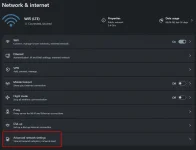
1. Go to Control Panel
2. Click Network and Internet
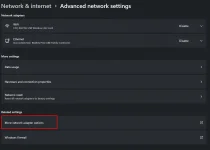
3. Tap network and Sharing Center
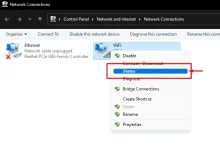
4. Find "Wireless Network Connection"
5. Select the network name[ex: ZTE_2.4G_HUQ..]
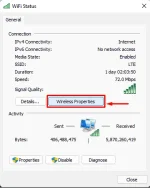
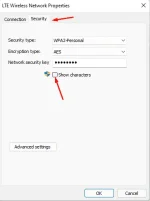
6. Hit "Properties" and look for "Security'
7. You will see "Security type, Encryption type and Network security key"
8. Check the box "show characters"
9. Enjoy !!!
-Simple thanks is enough
1. Go to Control Panel
2. Click Network and Internet
3. Tap network and Sharing Center
4. Find "Wireless Network Connection"
5. Select the network name[ex: ZTE_2.4G_HUQ..]
6. Hit "Properties" and look for "Security'
7. You will see "Security type, Encryption type and Network security key"
8. Check the box "show characters"
9. Enjoy !!!
-Simple thanks is enough