PH
PHRequirements:
Windows XP / Vista / Windows 7 / Windows 8 / Windows 10
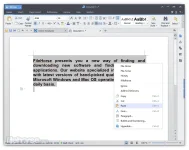
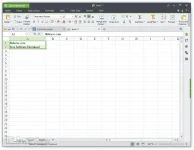
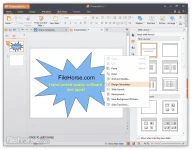
Used by over 500 million people, WPS Office Free is one of the world's most popular office suites for Windows. Fully compatible with Microsoft Office, WPS Office comes with Writer, Presentation, and Spreadsheets allowing you to open edit, and create almost any document type. Highlights include a You do not have permission to view the full content of this post. Log in or register now. including Writer, Presentation, and Spreadsheets.
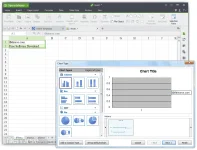
Fully compatible with Microsoft Office and Google Docs/Apps. Loaded with extras including over 230 fonts and 100’s of free templates. Collaboration tools including track changes, comments, and spell-check. 100s of formulas and You do not have permission to view the full content of this post. Log in or register now. tools. Supports document encryption and read/write permissions. Full support for VBA/Macro. Great customer supporting including email, online tools, and in-app support. Free, unlimited mobile devices both Android and iOS. Download WPS Office Offline Installer Setup for Windows.
Features and Highlights
WPS Cloud
A professional office file cloud storage service with 1G Free Space for PC and iOS. Service for Android is coming soon. With only one click, it can share your documents by links. In such a way, documents can be viewed and edited anywhere and anytime.?
Drag-and-drop Tool
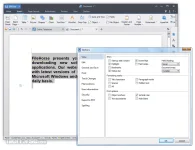
WPS Office’s innovative Paragraph Layout feature is a drag-and-drop tool that allows you to adjust each paragraph naturally. Simply by moving your mouse, you can change the location, spacing, and indentation of a paragraph.
Free Templates
The Office offers a large number of free templates to help you You do not have permission to view the full content of this post. Log in or register now., presentations, and spreadsheets to save you time. Quickly select the desired templates from the Docker library to create your documents with ease.
Section Navigation
The Section Navigation tool makes it a piece of cake to jump between and edit sections. Quickly access Cover Pages, Content Pages, and your Header and Footer, or Split Sections and Delete Sections.
Multiple Document Tabs
Avoid the hassle caused by switching between multiple document windows. The tab bar that appears above the editable area allows you to switch between documents by Ctrl + Tab. This makes your document editing as easy and natural as web browsing.
Download link:You do not have permission to view the full content of this post. Log in or register now.
Windows XP / Vista / Windows 7 / Windows 8 / Windows 10
Used by over 500 million people, WPS Office Free is one of the world's most popular office suites for Windows. Fully compatible with Microsoft Office, WPS Office comes with Writer, Presentation, and Spreadsheets allowing you to open edit, and create almost any document type. Highlights include a You do not have permission to view the full content of this post. Log in or register now. including Writer, Presentation, and Spreadsheets.
Fully compatible with Microsoft Office and Google Docs/Apps. Loaded with extras including over 230 fonts and 100’s of free templates. Collaboration tools including track changes, comments, and spell-check. 100s of formulas and You do not have permission to view the full content of this post. Log in or register now. tools. Supports document encryption and read/write permissions. Full support for VBA/Macro. Great customer supporting including email, online tools, and in-app support. Free, unlimited mobile devices both Android and iOS. Download WPS Office Offline Installer Setup for Windows.
Features and Highlights
WPS Cloud
A professional office file cloud storage service with 1G Free Space for PC and iOS. Service for Android is coming soon. With only one click, it can share your documents by links. In such a way, documents can be viewed and edited anywhere and anytime.?
Drag-and-drop Tool
WPS Office’s innovative Paragraph Layout feature is a drag-and-drop tool that allows you to adjust each paragraph naturally. Simply by moving your mouse, you can change the location, spacing, and indentation of a paragraph.
Free Templates
The Office offers a large number of free templates to help you You do not have permission to view the full content of this post. Log in or register now., presentations, and spreadsheets to save you time. Quickly select the desired templates from the Docker library to create your documents with ease.
Section Navigation
The Section Navigation tool makes it a piece of cake to jump between and edit sections. Quickly access Cover Pages, Content Pages, and your Header and Footer, or Split Sections and Delete Sections.
Multiple Document Tabs
Avoid the hassle caused by switching between multiple document windows. The tab bar that appears above the editable area allows you to switch between documents by Ctrl + Tab. This makes your document editing as easy and natural as web browsing.
Download link:You do not have permission to view the full content of this post. Log in or register now.