 PH
PHColor Projects 6
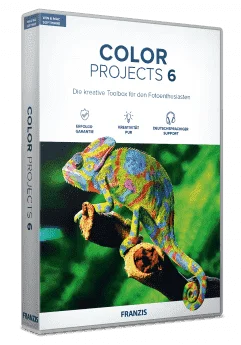
The High-End Toolbox for the Creative Photographer
COLOR projects 6 Professional is the magic wand for your photos and is guaranteed to make photographing a great deal of fun. You wouldn’t believe how much information is contained in your images. Briefly, you can view all 208 image possibilities and many more tools than commonly offered by other filter programs.
Features
- Categories such as photo styles and light FX
- SmartMask filter
- Texture converter
- Soft skin filter
- Colour normalisation
- Completely redesigned Photographic Film Emulation with 10 new film types
- 208 presets
- 181 Post-processing effects
- Point of interest
- Sensitive selective drawing tool
- Image cropping with 71 format templates
- Expert Mode
- Optimisation assistant variations
- Film/optimisation/layer algorithm browser
- Advanced RAW features
- Gallery function presets
- Scratch & sensor spot correction
- Selective editing for post-processing effects
- Load & save project
- Save to 8/16-bit format
- Undo and retrieve changes
- Image data browser
- Batch processing
- Quality settings options
- Export to external programs
- Adobe® Photoshop plug-ins for CS6/Elements 11 and above
- Adobe® Lightroom interface
- Adobe® Lightroom plug-in
- Adjustable interface colour style
- Adjustable font size for menus and titles
- Image preparation
- Colour space conversion options 24
- White balance defaults 14
- Composing function with up to 4 Layers
- RAW mode
- Display border pixels
- Horizontal/vertical/diagonal image comparison
- Panorama view
- Panorama mode
- Combine effects
- Combine presets
- Import & export presets
- Film emulation
- Smart colour space adaptation (SCA)
- Real-time animation preview
- Selective editing
- Layer-blending mode

Instructions:
- Go to the registration page by FRANZIS > You do not have permission to view the full content of this post. Log in or register now.
- On the registration page, you need to enter your e-mail address in the field provided.
- Confirm your consent to the processing of your e-mail and receive informational e-mails and click on the 'SEND' button.
- In the next page, if you a new user, you will be prompted to add information to your user profile.
- If you the existing user, you will need to enter password & the activation code with a User ID will be sent to your email address.
- Download the installation software from this url (Windows): You do not have permission to view the full content of this post. Log in or register now.
- Once downloaded, run the .EXE file and then use your user ID and the registration code (which is also the serial number for activating the software) to continue the installation.
- Once installed, launch the program and use the serial number (registration code) to activate the full version.
- Done. Enjoy the full features!
Terms:
- Software Version: v6
- One license is valid on both Windows and Mac versions.
- License can be used on up to two computers used exclusively by a single person
- No Free Software Updates
- No Free Technical Support by Franzis Verlag GmbH
For More: Software Giveaways