 PH
PHIt will work only if you have own internet modem/router. Do not do this if you are sharing network on other people.
On your Android Phone
Step 1. Download Wifi FTP Server on google play store.
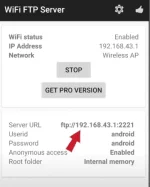
Step 2. Open the app and tap Start.
Once the FTP server is started you will see the server URL, Userid and Password.
On your windows pc
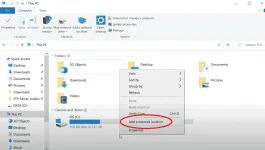
Step 1. Open your pc and go to File Explorer.
Step 2. Go to This PC.
Step 3. Hover to the Devices and drives and then right click and Add a network location.
Step 4. Click next
Step 5. Click next
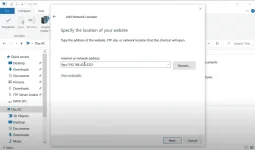
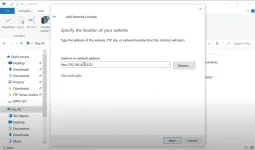
Step 6. Enter the FTP server URL from your android phone.
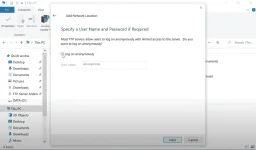
Step 7. Check the Log on anonymously
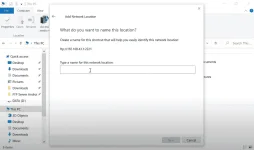
Step 8. Enter your phone model (For example. Poco X3 Pro)
Step 9. Click next
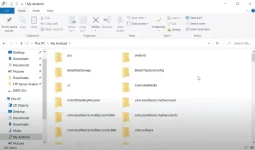
Step 10. Click finish.
NOTE: Make sure your phone and pc is connected on the same network otherwise it will not work.
On your Android Phone
Step 1. Download Wifi FTP Server on google play store.
Step 2. Open the app and tap Start.
Once the FTP server is started you will see the server URL, Userid and Password.
On your windows pc
Step 1. Open your pc and go to File Explorer.
Step 2. Go to This PC.
Step 3. Hover to the Devices and drives and then right click and Add a network location.
Step 4. Click next
Step 5. Click next
Step 6. Enter the FTP server URL from your android phone.
Step 7. Check the Log on anonymously
Step 8. Enter your phone model (For example. Poco X3 Pro)
Step 9. Click next
Step 10. Click finish.
NOTE: Make sure your phone and pc is connected on the same network otherwise it will not work.
 ks
ks
