PH
PHEssential 5 Volume 3
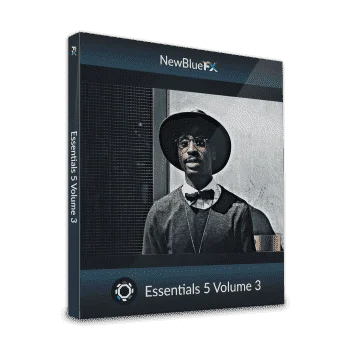
90 Presets in 9 time-saving Video Plugins
Tackle everything you need from white balancing, removing blemishes and wrinkles, to selectively sharpening details in your video, and more. Get over 90 presets in 9 time-saving plugins. Compatible with all of today’s leading NLEs.
Compatible
- Dual Booster
Adjust the lightest and darkest regions of your image to produce the best possible version of your picture.- Gamma Corrector
Adjust white balance and add film gamma to fix white balance issues.- Sharpen
Boost details in your video by selecting a color region and boosting its contrast values.- Skin Touch Up
Remove blemishes and wrinkles from your subject while preserving natural skin tone.- Progressive Stretch
Format your video into widescreen without sacrificing image quality or black sidebars.- Proportion Helper
Use variety of preset templates to guide you towards creating a professional composition.- Color Fixer Pro
Fix color balance, adjust saturation and brightness, and preserve blacks and whites to produce the perfect image.- Detail by Chroma
Focus on a specific color region within a picture. Sharpen the detail and boost the contrast of the chosen region to modify the value of your entire video.- Edge Smoother
Soften jagged edges of text and graphics selectively to produce smooth, polished titles and pictures.
Software and hardware:
- Adobe After Effects CC or later
- Adobe Premiere CC (may require update to latest version)
- NewBlue Titler Pro 2+
- Avid Media Composer & Symphony 8+
- Magix Vegas Pro 17+, Magix Video Pro X, Magix Movie Studio 1☍+
- Grass Valley EDIUS 9 & X*
*Effects and transitions performance in Edius are not real-time.- Black Magic DaVinci Resolve 15+
- Supported OS: macOS 10.15 and later, & Windows 10/11
- A recent Nvidia or AMD GPU that supports OpenGL 2.1 or later. 1 GB VRAM is required. 4 GB VRAM is recommended when working with HD content.
- Supports 64-bit video editing applications only.
Link:You do not have permission to view the full content of this post. Log in or register now.
Coupon code:FREEVOL3