 PH
PHHARDiNFO 8 PRO Lifetime

Award-Winning Windows Sysinfo and Benchmark Tool
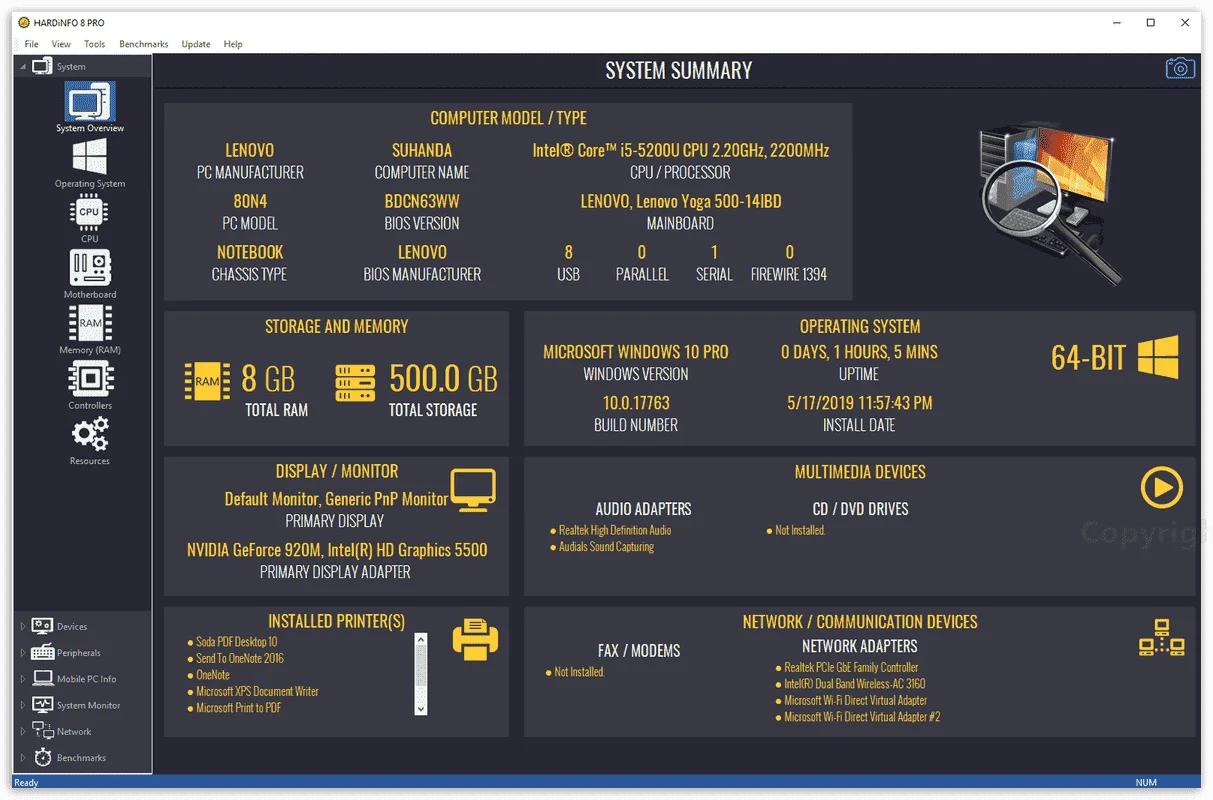
HARDiNFO 8 PRO provides detailed information about your computer’s motherboard, processor, operating memory modules, or hard disk. The data will help you, for example, tune your overclocking performance, identify cooling problems, or choose the right part types when upgrading your machine.
This Award-Winning Windows Sysinfo and Benchmark Tool also offer the same service for all connected peripherals, so it can help you even find the right drivers for your particular PC accessory model. Accurate hardware diagnostics are complemented by real-time system monitoring to give you a detailed view of running processes and services, as well as the drivers and network connections currently in use. The diagnostic part of the HARDiNFO application is complemented by tests.
This Award-Winning Windows Sysinfo and Benchmark Tool also offer the same service for all connected peripherals, so it can help you even find the right drivers for your particular PC accessory model. Accurate hardware diagnostics are complemented by real-time system monitoring to give you a detailed view of running processes and services, as well as the drivers and network connections currently in use. The diagnostic part of the HARDiNFO application is complemented by tests.
Features
Key Features of HARDiNFO 8 PRO:- PC Sysinfo – Gett detailed information about your computer hardware, like;
- CPU,
- Motherboard,
- Memory (RAM),
- Display Adapter,
- Monitor,
- Storage (HDD/SSD),
- peripherals
- and more.
- Performance Benchmarks – Test your PC performance and compare it against other results online.
- Advanced CPU benchmark,
- storage HDD/SSD
- 3D display adapter benchmark.
- Export HTML Reports – Save detailed hardware information about your computer as text or HTML.
- Advanced GUI – Display the hardware information in well-organized categories with high-quality graphical representation.
- System Monitor – Monitor the CPU/Processor usage, with
- Support for up to 128 cores,
- RAM Memory usage
- Advanced Network traffic monitor.
- Advanced Notebook battery monitor and analyzer.
Requirements
To run the software with optimum reliability and performance, your system should match the following requirements:- This program is designed to run only on Windows XP, Vista, 2003 Server, and 2008 Server (32bit & 64bit), Windows 7.
- Requires at least 1024×768 High Color 16-bit Resolution with Small Fonts.

Instructions:
- Go to the registration page by usro.net > You do not have permission to view the full content of this post. Log in or register now.
- In the registration page, fill in the form with Your Name & E-Mail Address.
- Click on the SUBMIT button and you will receive an email containing a link to get the serial number.
- Open the email from usro.net and click the link to get the serial number.
- Download the setup file from here:You do not have permission to view the full content of this post. Log in or register now.
- Once downloaded, install it, and while installation, enter the serial number you've got to activate the full version.
- Don't enter other fields like company name, or change the user name, the serial number may be not working.
- Once the installation is finished, then enjoy the full version!
- Done.
- Software version: v8.0.0.2350
- No Free Update
- No Free Support
- Personal use only
