PH
PHVich-Calcifer
Eternal Poster
NI Multisim and Ultiboard (Circuit Design Suite) 14.1 By: You do not have permission to view the full content of this post. Log in or register now.
Multisim
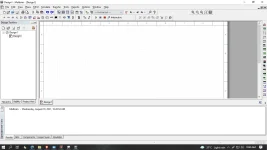
Multisim is industry standard SPICE simulation and circuit design software for analog, digital, and power electronics in education and research.Multisim integrates industry standard SPICE simulation with an interactive schematic environment to instantly visualize and analyze electronic circuit behavior. Multisim has an intuitive interface that helps educators reinforce circuit theory and improve retention of theory throughout engineering curriculum. Researchers and designers use Multisim to reduce PCB prototype iterations and save development costs by adding powerful circuit simulation and analyses to the design flow.
Supported Platforms
To run Circuit Design Suite 14.1, your operating system (OS) must be one of:- Windows 10, 8.1 or 7 SP1.
- Windows Server 2012 R2.
- Windows Server 2008 R2 SP1.
- Pentium 4M (or equivalent) or later (32-bit).
- Pentium 4 G1 (or equivalent) or later (64-bit).
- 1 GB of memory.
- 2 GB of free hard disk space.
- 1024 x 768 screen resolution.
- To develop custom LabVIEW-based instruments for use in Multisim, LabVIEW 2015 or 2016 is required.
Steps:
-Extract the file
-Turn off your "Fast Start up" (in Control Panel)
- Burn or mount "ni-circuit-design-suite-14_1.iso" file.
- Run "setup.exe".
- Follow instructions.
(Select "Option", then select generate "Serial Number", copy and paste=continue installation)
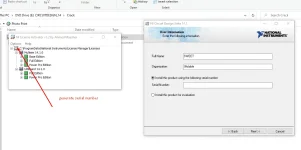
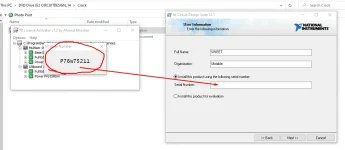
Here, depends of what you prefer...
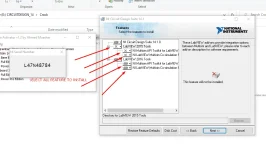
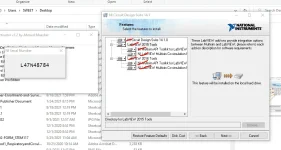
- After installation, reboot.
- Update when prompted (optional).
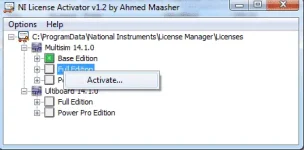
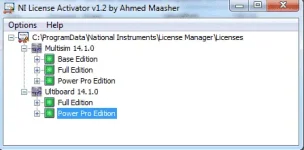
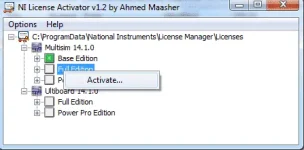
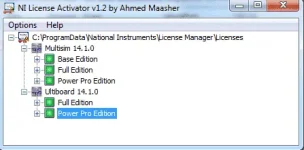
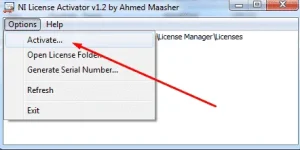
- Again Right click on "cr@ck\ni-license-ac†ïvâ†ør-1_2.exe" and run as administrator.
- Click Options -> Open License Folder...
- Navigate to your "National Instruments\License Manager\Licenses" folder
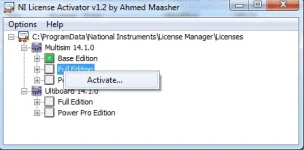
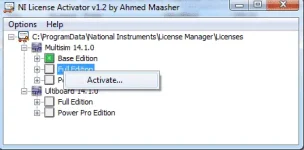
- Right click all listed editions (Base, Full, Power Pro, etc.) and click "Activate...".
- DONE!!!
File Name: NI Circuit Design Suite 14.1.tar file Size: 865.16 MB
Link:
You do not have permission to view the full content of this post. Log in or register now.
PS: The rar file is not mine.
Just Sharing.
Note: Pls make sure you're using the supported operating system (OS) and meet other requirements...