PH
PHSumatra PDF
For LONG STRIP/SINGLE STRIP manhwa/manhua (no horizontal line)Para sa gusto mag basa ng mga Manhwa/Manhua/Manga/Webtoon sa PC, yung continues vertical, maganda dito pwede rin single pages,
kung pang mobile android hanap niyo, search niyo nalang "ReadEra" sa playstore or google.
Download Link:You do not have permission to view the full content of this post. Log in or register now.
A tip for reading offline webtoons on PC
The solution is called SumatraPDF. Another freeware and from Github too.To open a manga/manhwa/manhua/webtoon in SumatraPDF, click and drag the folder (or zip file) containing image files, from file explorer to SumatraPDF.
Now click on Menu>View> Show Pages Continuously
Again go, Menu>Settings> Advanced Options. A text file would open. Under "ComicBookUI" you'd see a line "PageSpacing = 4 4". Change it to "PageSpacing = 4 0". Save it. Press F11 to go fullscreen. Enjoy reading your webtoons. {credits: u/ASelfishGuy}
Sumatra PDF
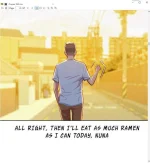
Sumatra PDF is a free and open-source document viewer that supports many document formats including: Portable Document Format, Microsoft Compiled HTML Help, DjVu, EPUB, FictionBook, MOBI, PRC, Open XML Paper Specification, and Comic Book Archive file. If Ghostscript is installed, it supports PostScript files. {Wikipedia}Sample: