PH
PHT Y R A N T
Forum Contributor
Try any one of this website:
You do not have permission to view the full content of this post. Log in or register now.
You do not have permission to view the full content of this post. Log in or register now.
You do not have permission to view the full content of this post. Log in or register now.
You do not have permission to view the full content of this post. Log in or register now.
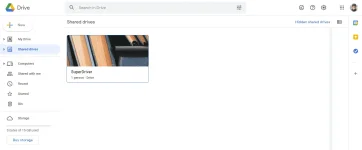
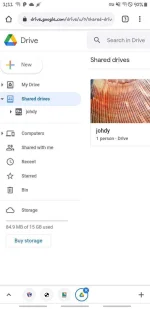
Note: You can translate these website if language is not understandable Step II: Type your desired drive’s name at the first field and your Gmail on the bottom field. Note: Your drive name should not contain any space, it will cause error. You can add space later on by renaming from Google Drive Step III: Complete the captcha and hit the GET button and keep The tab/browser open until it says OK. Boom, you got your UNLIMITED shared drive which can be used to share files and data among those people you add to the drive. You can find your shared drive here: You do not have permission to view the full content of this post. Log in or register now. If it does not show up instantly, just wait until it shows up. It usually takes about 5 min max, but sometimes it can take more time. Happy learning!
[/CODE]
Comment ka para lumabas