PH
PHActivate Windows 10 Permanently with HWIDGen
DownloadMediafire: You do not have permission to view the full content of this post.
Log in or register now.
Pixeldrain: You do not have permission to view the full content of this post. Log in or register now.
Pixeldrain: You do not have permission to view the full content of this post. Log in or register now.
[/CODE]
Kailangan naka-connect sa internet ang computer niyo para gumana ito. Hindi na kailangan i-restart ang pc/laptop pagkatapos mag activate.
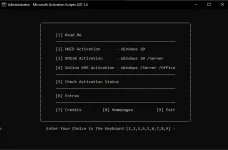
I-activate ang Windows 10 sundaan ang step-by-step procedure.
1. I-double click ang HWID Application Window at piliin ang [2] HWID Activation - Windows 10
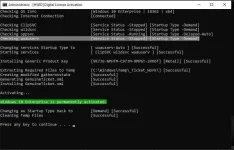
2. Hintayin ma-activate at i-close ang application
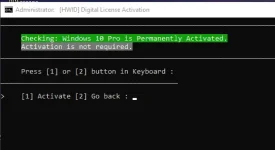
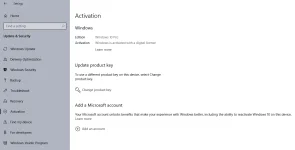
3. Tignan kung na-activate ito, pumunta sa Settings > Update & Security > Activation
I-activate ang Microsoft Office sundaan ang step-by-step procedure.
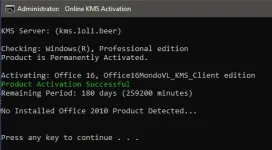
1. I-double click ang HWID Application Window at piliin ang [4] Online KMS Activation - Windows /Server /Office
[1] Activate - WWindows /Server /Office
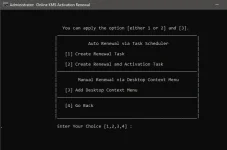
2. Hintayin ma-activate at i-back, kung gusto mo ng auto-renewal
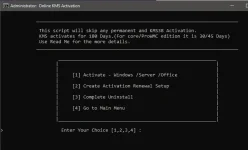
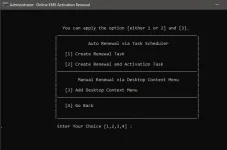
3. Piliin ang [2] Create Activation Renewal Setup
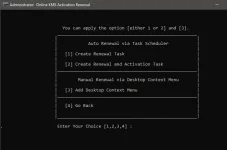
4. Piliin ang [2] Create Renewal and Activation Task
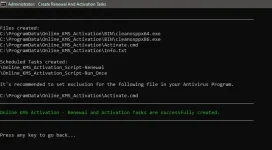
5. Hintayin ma-activate ang i-close
 actually na dl ko na sya kagabi hehe