 PH
PHRequirements:
Windows XP64 / Vista64 / Windows 7 64 / Windows 8 64 / Windows 10 64
Author / Product:
You do not have permission to view the full content of this post. Log in or register now. / You do not have permission to view the full content of this post. Log in or register now.
Ultracopier 64 bit is a fully-featured file-copying software for Windows OS that provides users with an unprecedented amount of configuration options and tools for fast, secure, and reliable file management. The main focus of this application is to become a replacement for built-in file copy dialogs that are provided by the OS. One of the main reasons this app has managed to do just that and become the default You do not have permission to view the full content of this post. Log in or register now. on their PCs is its vastly expanded toolset that is especially attractive to professional users and businesses who don’t want to take any risks when handling important project files.
With Ultracopier, the regular file copying procedure provided by the Windows Explorer service is augmented with advanced features such as pause/resume for transfers, dynamic speed limitation, ability to resume copying after detecting errors, a comprehensive error/collision management, built-in data security, intelligent optimization of transfer speeds, and the ability to enhance file copying procedures with external plug-ins.
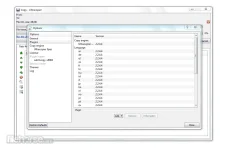
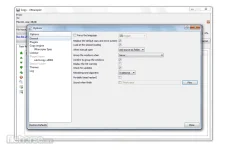
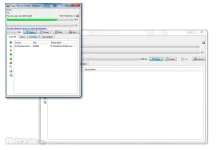
The app features a small but crowded UI experience that is rich in tools and shortcuts to various file copying settings. Thankfully, UI can be very easily learned, mostly thanks to its pleasing art style, layout, and streamlined transfer procedures. By default, the entire app frame will close after a successful You do not have permission to view the full content of this post. Log in or register now. task, but this can, of course, be changed in the Options. The app records detailed logs about files it managed for you, with extensive configuration options for all possible events and data error scenarios.
Ultracoppier is 100% FREE if used in its default “Normal” configuration. Premium “Ultra” version of the app comes with just a few added plugins. It is important to note that Ultra copier app also has an older brother called You do not have permission to view the full content of this post. Log in or register now., with the main difference between them being just a visual skin of the app interface. You can enjoy Ultracopier on any modern Windows OS, with built-in translations for eight international languages.
Download link:You do not have permission to view the full content of this post. Log in or register now.
Windows XP64 / Vista64 / Windows 7 64 / Windows 8 64 / Windows 10 64
Author / Product:
You do not have permission to view the full content of this post. Log in or register now. / You do not have permission to view the full content of this post. Log in or register now.
Ultracopier 64 bit is a fully-featured file-copying software for Windows OS that provides users with an unprecedented amount of configuration options and tools for fast, secure, and reliable file management. The main focus of this application is to become a replacement for built-in file copy dialogs that are provided by the OS. One of the main reasons this app has managed to do just that and become the default You do not have permission to view the full content of this post. Log in or register now. on their PCs is its vastly expanded toolset that is especially attractive to professional users and businesses who don’t want to take any risks when handling important project files.
With Ultracopier, the regular file copying procedure provided by the Windows Explorer service is augmented with advanced features such as pause/resume for transfers, dynamic speed limitation, ability to resume copying after detecting errors, a comprehensive error/collision management, built-in data security, intelligent optimization of transfer speeds, and the ability to enhance file copying procedures with external plug-ins.
The app features a small but crowded UI experience that is rich in tools and shortcuts to various file copying settings. Thankfully, UI can be very easily learned, mostly thanks to its pleasing art style, layout, and streamlined transfer procedures. By default, the entire app frame will close after a successful You do not have permission to view the full content of this post. Log in or register now. task, but this can, of course, be changed in the Options. The app records detailed logs about files it managed for you, with extensive configuration options for all possible events and data error scenarios.
Ultracoppier is 100% FREE if used in its default “Normal” configuration. Premium “Ultra” version of the app comes with just a few added plugins. It is important to note that Ultra copier app also has an older brother called You do not have permission to view the full content of this post. Log in or register now., with the main difference between them being just a visual skin of the app interface. You can enjoy Ultracopier on any modern Windows OS, with built-in translations for eight international languages.
Download link:You do not have permission to view the full content of this post. Log in or register now.
 !. Thanks for sharing
  .
.