PH
PHInternet Download Manager v6.38 Build 25

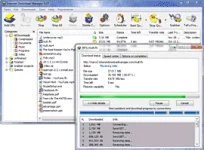
Internet Download Manager (IDM) is a tool to increase download speeds by up to 5 times, resume and schedule downloads. Comprehensive error recovery and resume capability will restart broken or interrupted downloads due to lost connections, network problems, computer shutdowns, or unexpected power outages. Simple graphic user interface makes IDM user friendly and easy to use. Internet Download Manager has a smart download logic accelerator that features intelligent dynamic file segmentation and safe multipart downloading technology to accelerate your downloads. Unlike other download managers and accelerators Internet Download Manager segments downloaded files dynamically during download process and reuses available connections without additional connect and login stages to achieve best acceleration performance.
What's new in version 6.38 Build 25 (Released: May 10, 2021)
- Improved download engine
- Fixed bugs
How to ρá†ch
- Download Windows Defender Control v1.6.zip (Optional) You do not have permission to view the full content of this post. Log in or register now.
- Download IDM_v6.38_Build_25_With_Patch.zip You do not have permission to view the full content of this post. Log in or register now.
- Extract Windows Defender Control v1.6.zip and open OFF-ON.exe (Optional)
- Disable Windows Defender
- Extract IDM_v6.38_Build_25_With_Patch.zip and open readme.txt
- Follow the instructions