 PH
PHShadow Hokage
Eternal Poster
MegaDownloader is a cloud-based desktop application that lets user securely import and share files from their PC computer or laptop. It is a lightweight piece of software that acts as a downloader for the mega.nz service. The program comes with a clean and minimalist, yet modern interface that is unlikely to give the user any troubles. The download manager uses end to end encryption to make sure that user's shared and stored items are kept safe. The cross-platform app is available on Apple Mac, Linux, and Microsoft Windows PC systems.
All of the data that user save and send with MegaDownloader will be encrypted to make sure that spies cannot access user's private information. The files are encrypted with cryptographic keys that the user control. The user will be the only person that can access the stored documents until he sends the passcode to additional people. Even MEGA cannot get to the saved docs.
A noteworthy feature of the program is that user can watch video files online, even if user does not have any browser installed on his system. However, a user should bear in mind that for this function to work, VLC Media Player need to be installed on the user's PC. Afterwards, the user can access the Settings window and add the path to the player. The application also packs a steganography function so user can extract or hide links that want to share with others inside an image. At the same time, user can encode URLs and generate ELC from the mega links for enhanced security.
MegaDownloader turns out to be quite a reliable and easy to use tool for anyone using these file sharing service.
System requirements:
OS: Microsoft Windows® XP, Windows® Vista, Windows® 7, Windows® 8, Windows® 8.1, Windows® 10 (both 32 & 64-bit);
Microsoft .NET Framework version 4.0;
MEGA account.
Install notes:
1. Run the executable file or command-line interpreter program for silent installation;
2. Enjoy!
Screenshots:
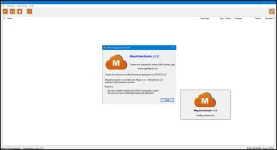
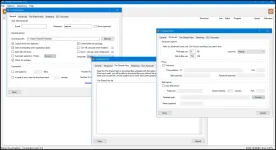
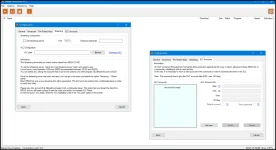
All credits go to elchupacabra, who made and shared the repack and portable version with us!
Kind regards,
@Mirkec
in collaboration with TeamOS

DOWNLOAD LINK:
You do not have permission to view the full content of this post. Log in or register now.