 PH
PHMostly medyo common tayo about sa USB located sa board ng B315-936, B525-65a, B310As-938 ay ginawa pang flashing ng firmware?
Tama ba ako? So what about USB for transferring files with your flash drive? Pwede ba yun?
This is my sample of tutorial about firmware of B315-936 HR 2021 ni Sir Jhowel
Features:
- Mostly sa dashboard natin ng B315-936 ay nakahide po "More" sa dashboard.
Let's ready for setup:
1. Make sure debrand your B315-936 modem using PC(Thats is our priority number 1).
2. Run dashboard on web browser as You do not have permission to view the full content of this post. Log in or register now..
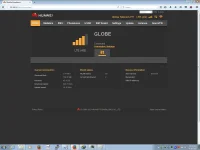
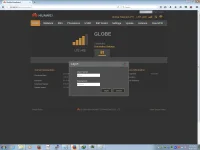
3. Login as "admin"
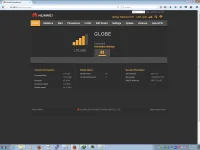
4. On your URL set "sambasettings.html" instead of "home.html" and Go!
From: 192.168.8.1/html/home.html
To: You do not have permission to view the full content of this post. Log in or register now.
5. What your see is the hidden settings is the "Samba Server", "User Settings" and "DLNA"
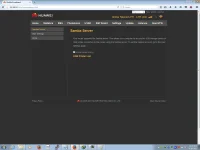
6. Enable "Samba Sharing"
7. Go to "User Settings"
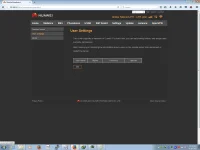
8. Click "Add", which can set username, password, confirm password, rights, Directory.
Example:
Username: OneWay
Password/Confirm Password: phconeway
Rights: Read/Write (Which can read and write files for later)
Directory: All
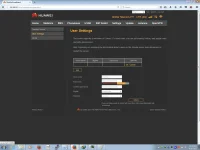
9. Click "Ok"
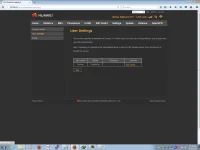
10. Now run on file explorer on address bar: \\192.168.8.1 or Win + R then type \\192.168.8.1
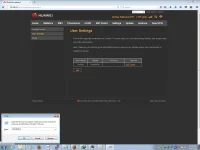
11. Input the credential with our username and password.
12. There you go and locate your files.
Example po sa mga nagcontribute:
>> Example # 1: About sa streaming sa VLC
Tama ba ako? So what about USB for transferring files with your flash drive? Pwede ba yun?
This is my sample of tutorial about firmware of B315-936 HR 2021 ni Sir Jhowel
Features:
- Well, pwede po pang transfer ng files using USB
- Speed up to 2MB/s yung naexperience ko.
- This protocol only samba.
- Mostly sa dashboard natin ng B315-936 ay nakahide po "More" sa dashboard.
Let's ready for setup:
1. Make sure debrand your B315-936 modem using PC(Thats is our priority number 1).
2. Run dashboard on web browser as You do not have permission to view the full content of this post. Log in or register now..
3. Login as "admin"
4. On your URL set "sambasettings.html" instead of "home.html" and Go!
From: 192.168.8.1/html/home.html
To: You do not have permission to view the full content of this post. Log in or register now.
5. What your see is the hidden settings is the "Samba Server", "User Settings" and "DLNA"
6. Enable "Samba Sharing"
7. Go to "User Settings"
8. Click "Add", which can set username, password, confirm password, rights, Directory.
Example:
Username: OneWay
Password/Confirm Password: phconeway
Rights: Read/Write (Which can read and write files for later)
Directory: All
9. Click "Ok"
10. Now run on file explorer on address bar: \\192.168.8.1 or Win + R then type \\192.168.8.1
11. Input the credential with our username and password.
12. There you go and locate your files.
Example po sa mga nagcontribute:
>> Example # 1: About sa streaming sa VLC


