PH
PHjquisquino
Elite
Here is how you do it (Steps to Follow):
- Open a notepad in your PC on your Window 10 whose activation is required.
- Paste this code on the notepade copy nyo lahat then paste sa notepad.
- Eto link You do not have permission to view the full content of this post. Log in or register now.
- Ngayon save nyo sya as .bat file.
- Tapos click right then ‘Run as administrator’.
- Minsan may system command prompt minsan wala ok lng it means tama ginagawa mo.
- press Y lang to continue...
- May pc na mag re reboot merong hindi gaya ng sa akin di nag reboot, pag nag reboot hayaan mo lang mabuhay.
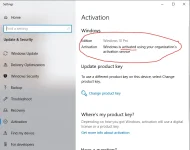
- Tapos check mo na Windows activation status mo sa setting makikita mo na “Activated” na sya...
- hope nakatulong mga pre.....