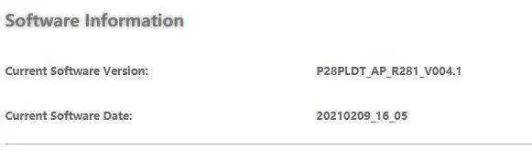
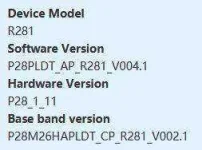
❓ Help PLDT Home R281 nag update ng Software Version (v004.1). Openline di na gumagana.

Status
Not open for further replies.
Nag update ang PLDT Home R281 and hindi na gumagana yung openline na AT+CLCK="PN",0,123456,16
Error na ang nakalagay.
Also, openline na sana ako kaso after the update RED na ang signal. Kaya nag system restore ako planning na i-openline ulit kaso error na yung AT+CLCK="PN",0,123456,16
Any solution?
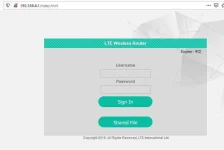
 
sir sa pag openline diko ma kuha here's my router ss
3.webp
 

Attachments

  • 2.webp
    2.webp
    6.9 KB · Views: 43
  • Capture.webp
    Capture.webp
    9.8 KB · Views: 44
[XX='rumi, c: 1150884, m: 395650'][/XX] and what kind of problem do you have?

You was able to find creds for admin access on first page of this thread.

username: admin
password: admin
 
@rumi..and what kind of problem do you have?

You was able to find creds for admin access on first page of this thread.

username: admin
password: admin
to give you an update, I was able to unlock my modem and For that sir, I thank you so much, one last question, is there a way to change its IMEI no.? i want to change it because they are blocking my sims every now and then, it was like they can detect wether im using their pldt sim card along with their modem or not, and that sucks when I almost have 10 pcs of sim cards that have been blocked now even though im not already using vpn apps, any idea/tips is hereby appreciated, keep safe sir!
 
[XX='rumi, c: 1152610, m: 395650'][/XX] Hiii pano niyo na enable Configuration Manager na section sa Router tab, and also why cant i access 192.168.8.1 after changing my IP to it ?
 
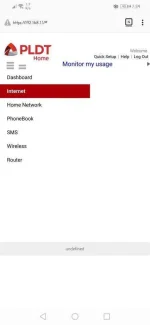
another update, seems like the other tabs in my web ui is not accessible now via wifi at 192.168.1.1, pls find attached images
 

Attachments

  • Screenshot_20210502_075936_org.mozilla.firefox.webp
    Screenshot_20210502_075936_org.mozilla.firefox.webp
    17.4 KB · Views: 49
  • Screenshot_20210502_080010_org.mozilla.firefox.webp
    Screenshot_20210502_080010_org.mozilla.firefox.webp
    10 KB · Views: 48
[XX='psycho6000, c: 1152667, m: 742392'][/XX] nag static IP ka sir? yung steps ni sir eugenekey
maglagay ka ng globe sim then iconnect mo modem via usb then go to 192.168.8.1 tapos admin admin ang credentials
 
[XX='rumi, c: 1152840, m: 395650'][/XX] i wanna try the changing Band steps. but i cant seem to access 192.168.8.1 or 192.168.1.1 using putty it always throws error, and i can't seem to connect. also i see a different UI when you guys access the 192.168.8.1, are you guys using the same router as me ? the PLDT Boosteven ?
 
Status
Not open for further replies.

About this Thread

  • 1K
    Replies
  • 93K
    Views
  • 156
    Participants
Last reply from:
Kingkong-privacy

Trending Topics

Online now

Members online
1,278
Guests online
1,173
Total visitors
2,451

Forum statistics

Threads
2,271,805
Posts
28,938,170
Members
1,237,855
Latest member
jhunzzz
Back
Top