❓ Help PLDT Home R281 nag update ng Software Version (v004.1). Openline di na gumagana.

Status
Not open for further replies.
Nag update ang PLDT Home R281 and hindi na gumagana yung openline na AT+CLCK="PN",0,123456,16
Error na ang nakalagay.
Also, openline na sana ako kaso after the update RED na ang signal. Kaya nag system restore ako planning na i-openline ulit kaso error na yung AT+CLCK="PN",0,123456,16
Any solution?
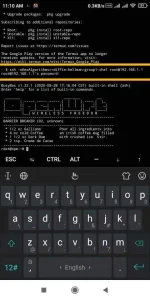
 
mga boss wala pa way mag remove ng band? (for ex. band 40). i've read sa isang group sa fb, you have to use mode 0 then sa freq yun mga fearcn na gusto mo tanggalin. may nakapagtry na?
 
termux pre Xeira
gamit ka ssh
IMG_20210508_111214.webp
 

Attachments

  • IMG_20210508_111214.webp
    IMG_20210508_111214.webp
    72.8 KB · Views: 308
Just lock on LTE use 0 as your mode. I observed that SMART is switching off their cell sites which will cause unstable connection usually happens early morning. If you use 0 as your mode and other LTE band is not available it will automatically connect to whatever LTE band that is available.
 
Just use 0 as your mode whatever frequency you use it will no be locked. Make sure to activate just the LTE your modem will automatically connected to best LTE Band available in your area.
 
[XX='H4wk3ye, c: 1185417, m: 1855025'][/XX] will it not be just like having the modem on default mode and will automatically CA to 40/40? this modem heavily favors band 40 in my case and it's very slow.
 
Status
Not open for further replies.

About this Thread

  • 1K
    Replies
  • 93K
    Views
  • 156
    Participants
Last reply from:
Kingkong-privacy

Trending Topics

Online now

Members online
1,081
Guests online
1,210
Total visitors
2,291

Forum statistics

Threads
2,271,826
Posts
28,938,281
Members
1,237,860
Latest member
gstave_fox
Back
Top