PH
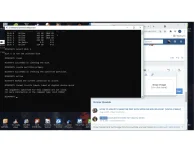
PHStep1. Click "Start" > "Run" > type "cmd" > type "diskpart" > type "list disk" and press "Enter"
Step2. Type "select disk x (x is the disk number of the USB, e.g. select disk 0)
Step3. Type "clean" and press "Enter"
Step4. Type "create partition primary" and press "Enter"
Step5. Type "active" and press "Enter"
Step6. Type "format fs=ntfs label= label of digital device quick"
Step2. Type "select disk x (x is the disk number of the USB, e.g. select disk 0)
Step3. Type "clean" and press "Enter"
Step4. Type "create partition primary" and press "Enter"
Step5. Type "active" and press "Enter"
Step6. Type "format fs=ntfs label= label of digital device quick"