 PH
PHoutsidecap
Forum Guru
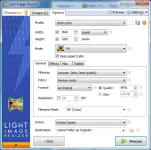
GIF, BMP, TIFF, CR2, NEF, etc. files). The utility also has the ability to compress files, convert from one format to another,
export, overlay and manage images. Light Image Resizer integrates into the Windows shell, can work in batch mode,
and has advanced customization options for advanced users.
ight Image Resizer will clean up your photos by reducing their resolution or moving them around on your disk. It is a great tool for
those who store digital photos and images on a computer and need to resize, compress, convert, create copies, import and organize photos.
With this program you can create images that can be sent by email without any problems, download them faster, easily move them from folder
to folder, change their format, edit a large number of photos and thus save free space on your hard drive.
Light Image Resizer integrates into the Windows shell and a simple right-click on the image will allow you to work with it.
Main features:
• Convert files between different graphic formats
• Change the compression ratio and resolution
• Support for JPEG, GIF, BMP, TIFF and other files
• Support for RAW digital camera formats: Canon .CR2, Nikon .NEF, .MRW Minolta
• Customized processing or using batch mode
• Customizable templates for renaming files
• Adding watermarks to images
• Reducing the size of photos for publishing them on the Internet or sending them by e-mail
• Fast image processing
• Import images directly from memory cards
• Changeable options and settings for advanced users
Installation Notes:
Read the Read-Me Supplied
Language: Multi Language
File Size: 31.7 MB
Minimum Requirements:
OS : Windows 10, 8.1, 8, 7, Vista and XP
Download Links:
You do not have permission to view the full content of this post. Log in or register now.
Password:
outsidecap
